Essential Types of Restaurant Technology
Learn essential types of restaurant technology, including POS, payments, ordering, kitchen, labor, inventory, and guest tools, to boost profit.

A Simple Way to Categorize Tech
When owners say they want "better technology," they usually mean they want fewer surprises and more control - not more apps. Essential restaurant technology is any system that consistently improves one of four outcomes- speed, accuracy, cost control, or visibility. If a tool doesn't move at least one of those levers in a measurable way, it's probably not essential (at least not yet).
A simple way to think about essential is this - Does the tool reduce risk or friction on a normal shift? For example, preventing a wrong order, catching an overtime problem before it hits payroll, or making sure your food costs don't drift because recipes and portions aren't being followed. The best essential tools also reduce "manager math" - the time managers spend reconciling numbers across different reports, texting staff to fill holes, or rebuilding a schedule when demand changes.
What essential tech is not- it's not a flashy feature you use once a month, a dashboard nobody checks, or a system that only works if one power user is on the shift. If your team can't learn it quickly, if it creates duplicate data entry, or if it requires constant manual fixes, it becomes operational debt. You'll feel that debt as slower service, more voids/comps, inconsistent prep, and managers stuck in the office.
To keep decisions practical, organize restaurant tech into four buckets -
1. Guest-facing tech - ordering, payments, reservations, loyalty, feedback.
2. Staff-facing tech - scheduling, timekeeping, communication, tip tools.
3. Back-office tech - inventory, purchasing, invoices, reporting, accounting connections.
4. Infrastructure - network/Wi-Fi, device management, security, uptime monitoring.
In the sections ahead, you'll see the essential types in each bucket and the specific capabilities that matter most - so you can build a stack that supports daily execution, not just a prettier tech lineup.
POS and Payments
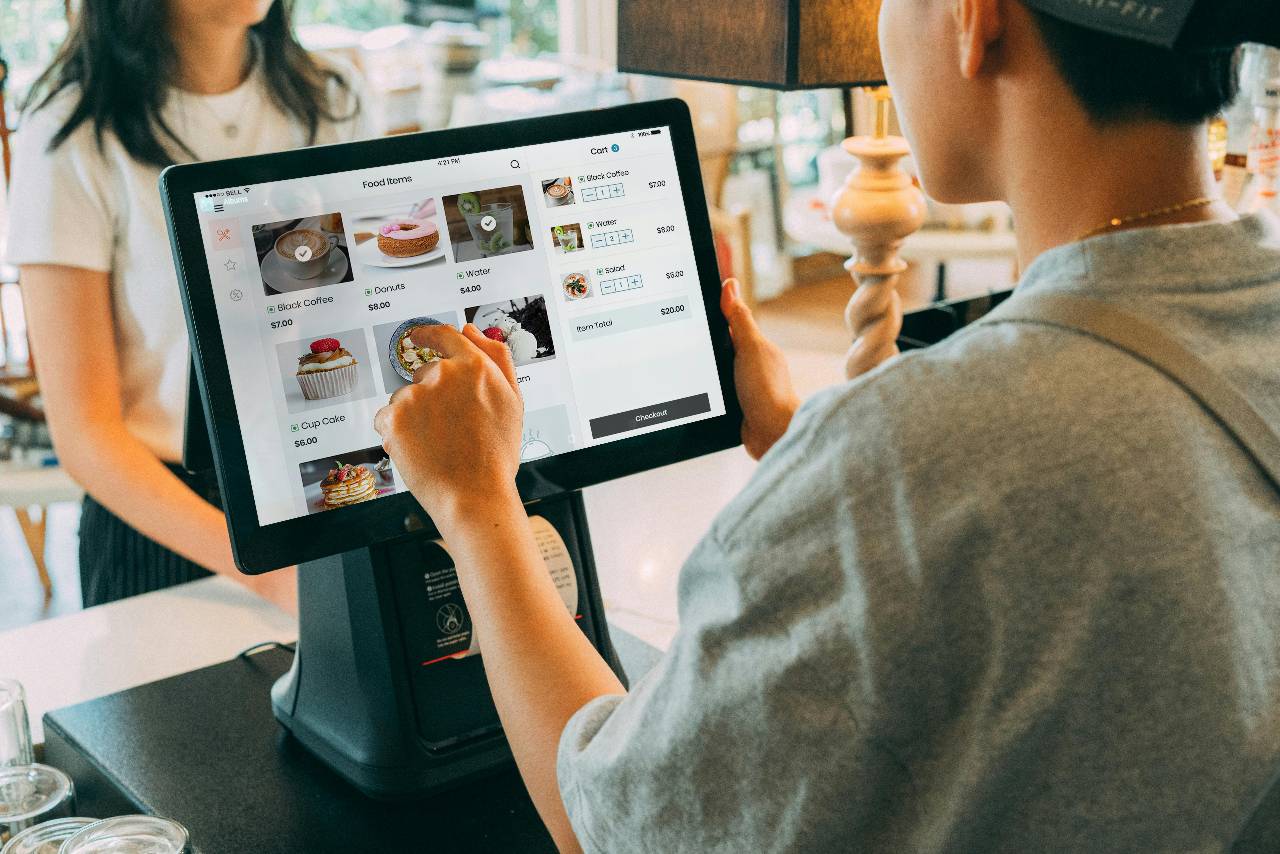
If you only invest in one category of restaurant technology, make it your POS and payments setup - because everything else either feeds into it or depends on its data. Your POS is more than a register. It's the system of record for sales, menu pricing, taxes, discounts, voids, comps, refunds, and user activity. When the POS is configured cleanly and used consistently, you gain reliable reporting and fewer "mystery" variances at the end of the week.
From an owner perspective, "essential" POS capability starts with the basics- fast order entry, accurate modifiers, smart menu layout, and stable performance during rush. If your team can't ring items quickly and correctly, you'll feel it immediately in ticket times, remakes, and guest complaints. The next layer is control - you want role-based permissions (who can void, comp, refund, price override), audit trails (what changed, who did it, when), and simple ways to spot patterns like frequent no-sale opens or heavy discounting.
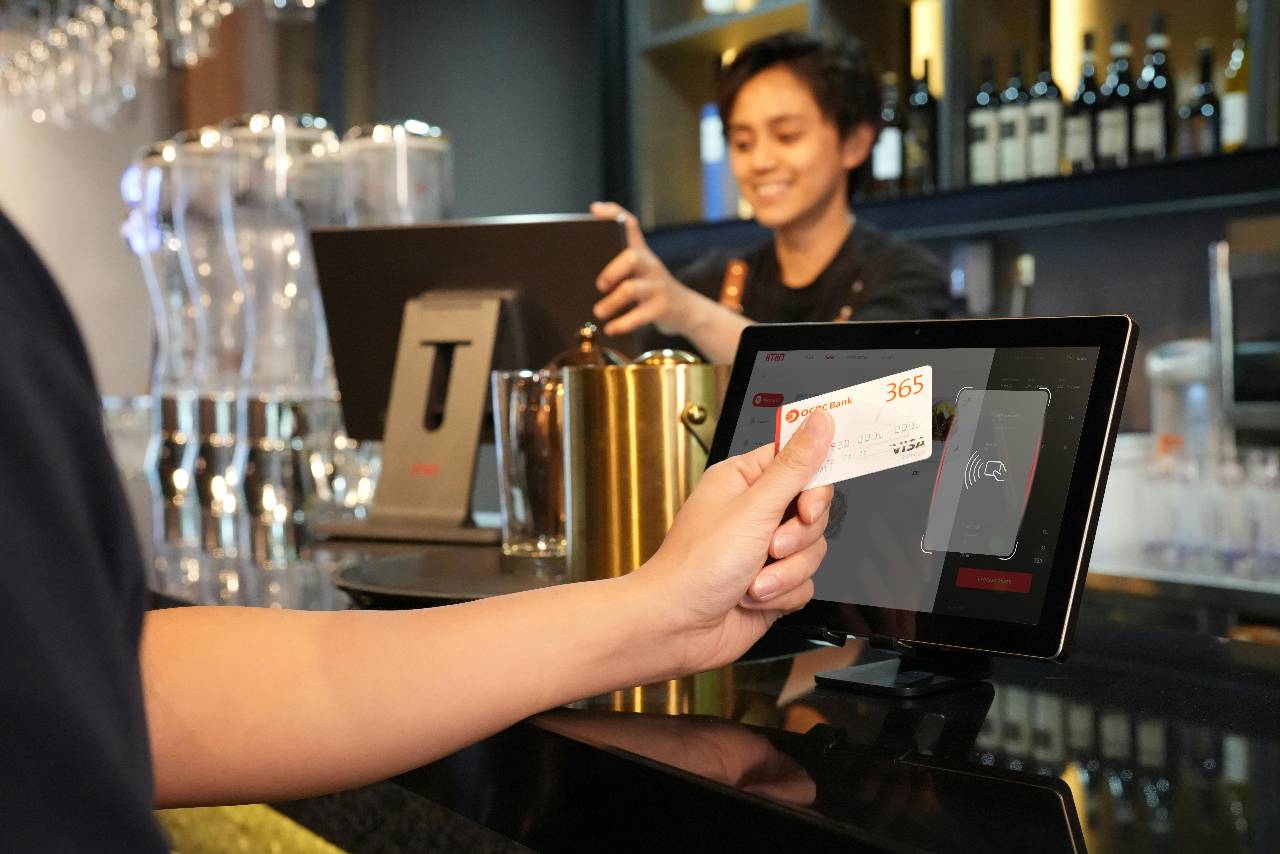
Payments matter just as much. Look for modern standards like EMV (chip), NFC/tap-to-pay, and support for digital wallets. Reliability is essential- payment downtime can ruin a shift. Also pay attention to operational realities - tip adjustments, split checks, partial auth, offline processing rules, and how chargebacks are handled. Even small friction here slows checkout, increases errors, and can create reconciliation headaches.
Two "must-have" areas owners sometimes overlook are reporting and integration readiness. Your POS should provide clear, usable views of sales by daypart, category, channel (dine-in vs. online), and cashier performance. And it should connect cleanly to the systems that run your operation - online ordering, delivery, kitchen displays, labor, inventory, and accounting - without you exporting spreadsheets every night.
Finally, watch for red flags - confusing fee structures, limited support hours, weak hardware options, and integrations that are "promised" but not proven. A POS should simplify your operation. If it creates workarounds, it's not essential - it's a bottleneck.
Online Ordering and Delivery Integrations
Online ordering is no longer "extra" - it's a core sales channel for many restaurants. But the technology behind it can either protect your margins and make production smoother, or quietly create chaos- mismatched menus, inaccurate prep times, constant refunds, and staff bouncing between tablets. The essential goal here is simple- orders should flow into your operation with the same accuracy and control as in-store orders.
Start by separating two ideas - first-party online ordering (your website/app) and third-party marketplaces (delivery apps). First-party ordering is where you typically have more control over fees, guest data, and upsells. Third-party channels can drive volume, but they can also pressure margins through commissions and frequent refund requests. Regardless of channel, the essential tech requirement is menu and pricing consistency - your online menu must match your POS menu (items, modifiers, taxes, and availability). If you're managing multiple menus manually, you're increasing the odds of bad orders and guest dissatisfaction.
Next is operational control. Strong online ordering systems let you set prep times, lead times, capacity limits, and order throttling during peak periods. Owners often underestimate how much profit leaks when the kitchen gets slammed by uncontrolled online volume- ticket times spike, dine-in guests get frustrated, and staff start comping meals to recover. Essentials also include item 86ing (marking items unavailable across channels), daypart menus, and accurate pickup/delivery promises that reflect real kitchen capacity.
Delivery integrations deserve special attention. If you use multiple delivery apps, you'll want a setup that reduces or eliminates tablet hell by consolidating orders and pushing them into the POS/KDS. Look for reliable order injection, clean modifier mapping, and visibility into status changes. On the back end, you want reporting that breaks out sales by channel and highlights key issues - like refund rates, missing items, and error reasons - so you can fix root causes instead of guessing.
Finally, don't ignore the pickup experience. Essentials here are basic but powerful - clear order status, guest notifications, accurate labeling, and a consistent staging process. When online ordering and delivery tech is done right, it doesn't just add sales - it reduces mistakes, protects labor, and keeps the kitchen running like one unified line.
KDS, Prep, Recipe Execution, and Food Safety
The kitchen is where restaurant profit is either protected or lost - one remake, one missed modifier, or one inconsistent portion at a time. That's why "essential" kitchen technology isn't about fancy gadgets. It's about tools that make execution repeatable, keep the line paced, and reduce avoidable mistakes during peak volume.
For many restaurants, the most impactful upgrade is a Kitchen Display System (KDS). A KDS replaces (or supports) printed tickets with digital order routing, timing, and prioritization. Essentials include clear station routing (grill, expo, fry, bar), visual cues for modifiers, and the ability to manage order flow by channel (dine-in, pickup, delivery). The owner-level benefit is measurable - when orders are paced and routed correctly, you usually see fewer missed items, better ticket-time consistency, and smoother handoffs between stations. Even if you still print some tickets, having a KDS at key points - like expo - can reduce chaos and improve accuracy.
Next is prep and production tech, which is often overlooked because it feels "back of house." But it's where consistency starts. Digital prep sheets based on pars, dayparts, or sales trends can reduce over-prep and stockouts. Essentials here are simple workflows- what to prep, how much, when, and who is responsible - plus check-off accountability so prep doesn't live in someone's head. If you're doing volume, tools that standardize batch cooking and holding times also prevent waste and quality drift.
Recipe execution is another essential category, even if it's not "exciting." If you have multiple cooks or multiple locations, you need a single source of truth for portion sizes, build steps, and allergen notes. Digital recipe cards and spec sheets reduce the "everyone does it their way" problem that creates variance in food cost and guest experience.
Finally, there's food safety technology- temperature logs, labeling, checklists, and cleaning schedules. The point isn't to micromanage staff - it's to create consistent habits and documentation. Essentials are ease of use (fast entries), reminders, and a clear audit trail. When these tools are lightweight and integrated into daily routines, they protect your brand, reduce risk, and keep managers from chasing clipboards during the rush.

Scheduling, Timekeeping, and Compliance Guardrails
Labor is one of your biggest controllable costs - and also one of the easiest places for small problems to snowball. A single missed break, a few unapproved early clock-ins, or one manager "fixing" punches without a trail can turn into higher payroll, lower morale, or compliance risk. Essential labor technology is about planning smarter, capturing time accurately, and preventing predictable mistakes before they hit your P&L.
Start with scheduling. The essential capability isn't just dragging names onto a grid - it's building schedules that reflect demand. Look for tools that support forecast-based scheduling (using historical sales, reservations, or daypart patterns), plus practical features like availability management, time-off requests, and shift swaps with approvals. Owners benefit when schedules are consistent and trackable - fewer last-minute texts, fewer uncovered shifts, and fewer we're overstaffed but still behind days because roles weren't assigned properly.
Next is timekeeping. An essential timekeeping system should create clean, defensible records and reduce payroll surprises. Key capabilities include - accurate clock-in/out capture (with location or device controls if needed), break and meal tracking, and a clear process for punch edits with an audit trail (who edited, what changed, why). You also want proactive alerts for overtime risk, missed breaks, early punches, and excessive labor compared to sales - ideally visible to managers during the shift, not after payroll is already processed.
Compliance "guardrails" are the third piece. Even if you're not thinking about compliance every day, your tools should help you follow rules by default. This can include prompts for breaks, rules for minor scheduling, limits on consecutive days or hours, and controls around tip and role assignments when pay rules vary by job type. The goal is to reduce manager discretion on things that should be standardized - because inconsistency is what creates risk.
Finally, labor tech is only as good as its adoption. Essentials include simple manager workflows, clear employee self-service (view schedule, request changes, confirm punches), and reporting that owners actually use - like labor % by daypart, overtime by location, and exceptions that require follow-up.
When labor tech is done right, it doesn't feel like surveillance. It feels like clarity - better schedules, cleaner payroll, fewer disputes, and fewer costly surprises.
Inventory and Purchasing
Food cost doesn't usually explode because of one big mistake - it creeps up through dozens of small leaks- inconsistent portions, missed invoices, unordered substitutions, untracked waste, and "we ran out so we grabbed whatever" purchases. Essential inventory and purchasing technology is designed to reduce those leaks by giving you repeatable counts, cleaner ordering, and real visibility into variance - without turning your managers into full-time spreadsheet operators.
Start with inventory. The essential workflow is- count the same way every time, at the right frequency, with consistent units. Good inventory tools support mobile counts, station-by-station organization, and the ability to track on-hand quantities in a way that matches how your team actually stores product (walk-in, line, freezer, dry storage). More importantly, you want the system to connect items to costs and usage so you can compare theoretical vs. actual consumption. That's the difference between "we spent too much on chicken" and "we're over-portioning, wasting, or ringing items incorrectly."
Next is purchasing. Essential purchasing tech helps you order based on pars and projected demand, not gut feel. Look for features like vendor catalogs, preferred items, order templates, and approval workflows - so ordering is standardized and traceable. This matters most when you have multiple managers ordering or multiple locations. A consistent process reduces duplication, prevents stockouts, and supports better vendor negotiations because your ordering patterns are clearer.
Invoices are another hidden pain point. If invoices live in email threads and paper folders, errors slip through - wrong prices, missing credits, duplicate charges. Essentials here include invoice capture, matching to purchase orders, and clean export to accounting - so you're not discovering problems weeks later. Even if you don't run full AP automation, having a centralized record makes food cost analysis far easier.
Finally, the "essential" add-ons that actually move margin are recipe costing and waste tracking. If recipes aren't tied to current costs and portions, theoretical numbers won't mean much. And if waste isn't tracked, you can't fix it. The goal isn't perfection - it's trend visibility- what's driving variance and where to coach.
When inventory and purchasing tech is working, you feel it in fewer emergency runs, more stable food cost, cleaner vendor relationships, and managers who spend less time counting and more time leading.
Reservations, Waitlist, Loyalty, and Feedback
Guest experience technology becomes "essential" when it helps you do two things better than your competitors- control the flow of service and earn repeat visits. The best tools don't replace hospitality - they remove friction so your team can focus on people instead of juggling clipboards, guessing wait times, or trying to remember who your regulars are.
If you take reservations or manage peak-hour volume, reservations and waitlist technology can be foundational. The essentials aren't fancy add-ons; they're practical controls - accurate party quoting, table pacing, turn-time visibility, and simple table management. When your host stand can see what's coming and what's open, you reduce bottlenecks that lead to a packed lobby, stressed staff, and uneven kitchen load. For walk-in-heavy concepts, a strong waitlist tool with accurate texting and status updates can prevent walkaways and improve the perception of fairness ("we're not being ignored") - even when the restaurant is slammed.
Next is loyalty and guest marketing. Essential loyalty programs are easy to explain and easy to use- earn points or credits, redeem clearly, and avoid confusing rules that create disputes. Owners should look for basic segmentation (new vs. regular guests), purchase history, and straightforward campaign tools (bounce-back offers, birthday rewards, "we miss you" messages). The key is alignment with your margins - loyalty should encourage frequency and higher lifetime value without discounting away profit. Also pay attention to fraud controls and user experience - if redemption is clunky, staff will avoid it and guests won't return.
Finally, feedback and reputation management is essential because it closes the loop. You want a simple system to collect guest feedback (on receipts, SMS, email, or QR), monitor reviews, and route issues to the right manager quickly. The goal isn't to chase a perfect rating - it's to spot patterns - slow service at a specific daypart, recurring issues with a menu item, or a training gap that's showing up in comments. Essentials include response templates, alerting for negative reviews, and easy reporting so you can track improvement over time.
When guest experience tech is done right, it smooths the front door, supports the kitchen, and builds repeat business. It should make your operation feel more organized - without making hospitality feel automated.
How to Build Your Tech Stack
Once you understand the essential categories, the next challenge is sequencing. Buying tools in the wrong order - or rolling them out too quickly - creates a stack that looks good on paper but fails during a Friday rush. The goal is to build a tech setup that supports daily execution, integrates cleanly, and gets adopted by real humans.
Start with your foundation. POS + payments and a reliable network. If your POS is unstable or your internet is inconsistent, every other system will suffer. From there, prioritize based on where you're leaking the most profit or time. If labor is unpredictable, scheduling/timekeeping should be next. If refunds and wrong orders are frequent, focus on online ordering flow and kitchen execution (KDS or better routing). If food cost is drifting, inventory/purchasing and recipe standards move up the list. Guest experience tools are powerful, but they land best when service and execution are already stable.
A practical priority order for many operators looks like this -
1. POS + payments + connectivity (system of record + uptime)
2. Labor tech (scheduling/timekeeping + controls)
3. Ordering to production flow (online ordering + delivery integration + KDS where needed)
4. COGS control (inventory/purchasing + invoice discipline + recipe specs)
5. Guest experience tools (reservations/waitlist, loyalty, feedback)
Next, treat integration like a non-negotiable. Before you sign, map the data flow in plain English- Where does the menu live? Where do orders originate? What system holds employee records? Where does sales data go for labor and inventory? If any vendor's answer is "just export a file," that's a cost - because it becomes manual work forever. You want clear ownership of the source of truth for menu, employees, and financial reporting.
Finally, plan the rollout so adoption sticks. Keep it simple -
- Pilot first (one location or one daypart) and measure a few outcomes (ticket time, voids, labor %, refund rate).
- Train managers and shift leads with quick SOPs (what to do, what not to do, escalation path).
- Set rules early (permissions, punch edits, discount controls, item availability processes).
- Review weekly for the first month and fix friction fast.
Essential restaurant technology isn't about collecting tools. It's about building a stack that makes your operation more predictable, profitable, and easier to run - shift after shift.