How to Select the Best Restaurant Kiosk System
Understand how to evaluate a Kiosk system using key criteria including features, POS integration, hardware, pricing, customer experience, and support.
Point Of Sale
Aug 31, 2026
Understand how to evaluate a Kiosk system using key criteria including features, POS integration, hardware, pricing, customer experience, and support.
Aug 31, 2026

Explore restaurant technology trends in 2026, including AI, automation, digital ordering, workforce tools, connected kitchens, personalization, and profitability strategies today.
Aug 28, 2026
Learn how to calculate restaurant cost of goods using inventory, purchases, COGS percentage, variance reviews, and regular tracking for profitability.
Aug 31, 2026

Learn the startup costs of opening an ice cream shop, including rent, equipment, renovations, permits, inventory, labor, marketing, and reserves.
Aug 28, 2026

A restaurant P&L statement reveals sales, expenses, and profits, helping owners manage costs, improve margins, and plan finances more effectively.
Aug 26, 2026
RaceTrac has appointed Jill Pemberton as chief financial officer, succeeding Karla Ahlert, who moves into the newly created role of chief administrative officer.
Aug 26, 2026

Learn practical ways to reduce labour costs through smarter scheduling, forecasting, productivity, cross-training, automation, overtime control, and performance monitoring strategies.
Aug 26, 2026

Levain Bakery appoints Lorna Sommerville and Taya Stenson as co-CEOs, blending operational and marketing expertise to power national expansion and innovation while staying rooted in its brand values.
Aug 25, 2026

A payroll advance policy helps restaurant owners define eligibility, limits, repayment, documentation, approval procedures, and compliance requirements for employee advances.
Aug 24, 2026

Create a practical restaurant marketing plan by setting goals, targeting customers, choosing channels, budgeting wisely, scheduling campaigns, and measuring results.
Aug 24, 2026

Unlock Exclusive Access To Webinars, Events, And The Latest News For Free!
Understand how to evaluate a Kiosk system using key criteria including features, POS integration, hardware, pricing, customer experience, and support.
Before comparing kiosk providers, start by defining exactly what you want a kiosk system to accomplish in your restaurant. The best system is not necessarily the one with the most features. It is the one that solves your specific operational problems and fits naturally into your service model. Begin by looking at your current ordering process. Identify where delays, errors, or bottlenecks occur. For example, you may need a kiosk system to - 1. Reduce wait times by allowing more customers to place orders at the same time. 2. Improve order accuracy by letting guests enter their own selections, modifiers, and special requests. 3. Increase average check size through automated upselling and add-on recommendations. 4. Support labor efficiency by reducing the amount of time employees spend taking orders. 5. Improve customer convenience by offering faster self-service ordering and payment. 6. Handle peak-hour demand without adding additional cash registers or order-taking staff. 7. Support multilingual ordering if your restaurant serves customers who prefer different languages. Your restaurant format should also influence your requirements. A busy quick-service restaurant may prioritize speed, durability, and high transaction volume, while a smaller fast-casual operation may focus more on menu customization and customer experience. Consider your expected kiosk usage as well. Estimate how many customers may order through kiosks during peak periods and determine how many units you may need. You should also think about available floor or counter space, accessibility requirements, and how kiosks will affect customer traffic inside the restaurant. Create a list of must-have features, preferred features, and optional features before speaking with vendors. This gives you clear criteria for comparing systems and helps prevent you from paying for functionality your restaurant does not need. By identifying your operational goals first, you can narrow your options and select a kiosk system that directly supports faster service, smoother operations, and a better ordering experience.
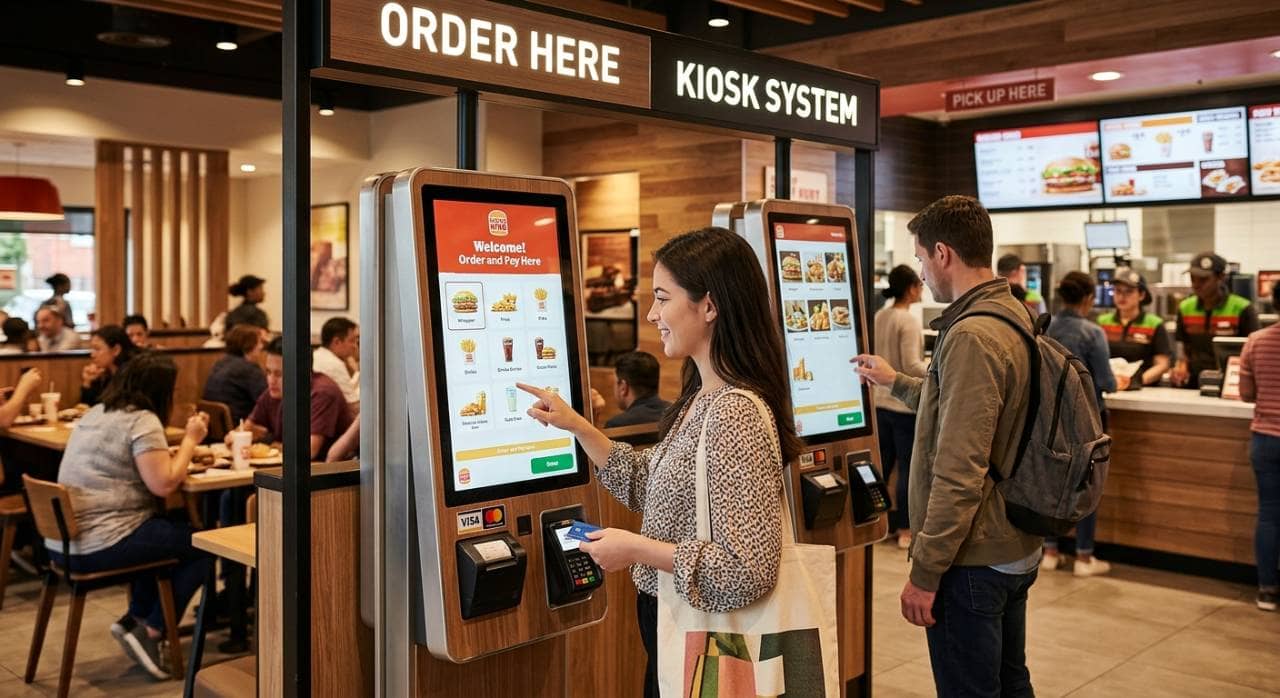
Once you understand what you want a kiosk system to accomplish, the next step is choosing the right kiosk format for your restaurant. Different kiosk types require different amounts of space, hardware, and installation, so the best option depends on your restaurant layout and customer flow. The most common restaurant kiosk types include - 1. Freestanding kiosks - Floor-mounted units that work well in high-volume restaurants with enough space near the entrance or ordering area. 2. Countertop kiosks - Compact systems placed on counters or service stations, making them useful for restaurants with limited floor space. 3. Wall-mounted kiosks - Fixed systems that conserve floor space and can be positioned along walls near ordering areas. 4. Tablet-based kiosks - Smaller, flexible devices that can be mounted on counters, stands, or tables and may require less upfront hardware. Think about how customers currently move through your restaurant. A kiosk should make ordering easier without creating congestion near entrances, pickup counters, beverage stations, or dining areas. You should also consider expected order volume. A restaurant that serves large numbers of customers during lunch or dinner rushes may need several freestanding kiosks to prevent lines from shifting from the cashier to the kiosk area. A smaller restaurant with moderate traffic may only need one or two countertop units. Pay attention to accessibility as well. Kiosk placement, screen height, navigation, and physical design should allow a wide range of customers to use the system comfortably. Finally, consider whether your kiosk setup may need to expand. If you plan to add locations or increase self-service ordering, choose a system that makes it easy to add more devices without rebuilding your technology setup.
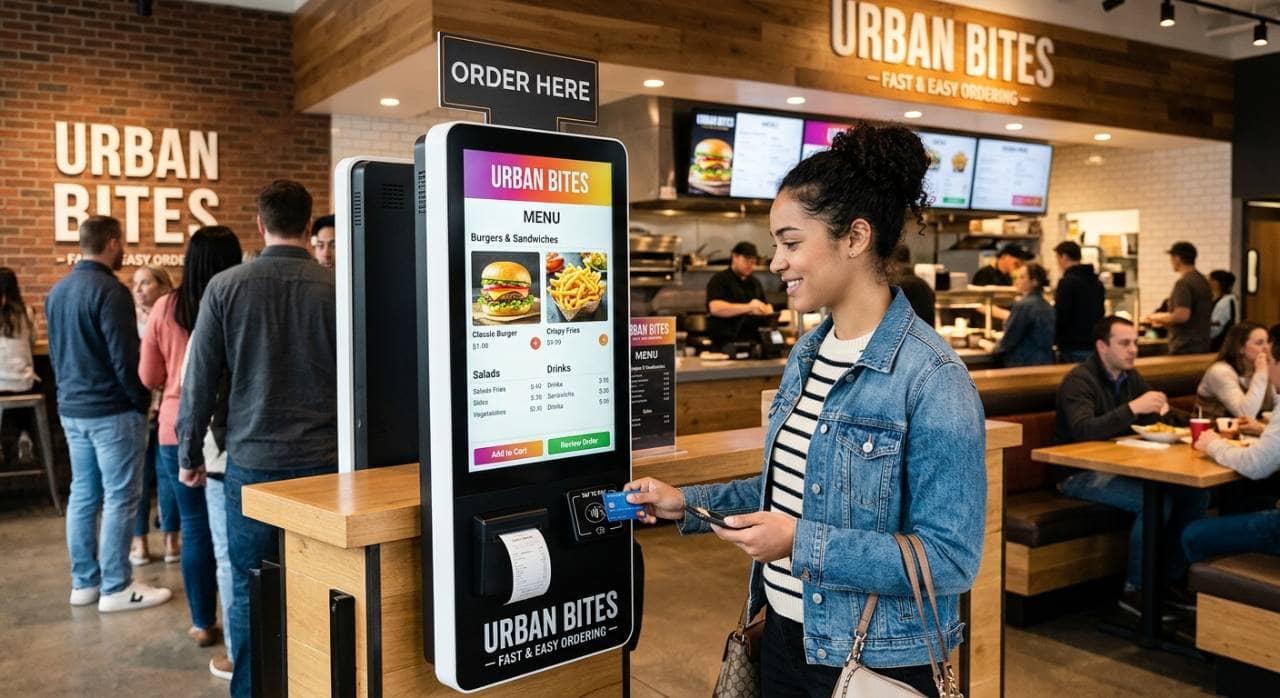
After choosing the right kiosk format, compare the features each system offers. The goal is to find a kiosk that makes ordering simple for customers while supporting the way your restaurant operates. Start with the ordering experience. Customers should be able to move through the menu quickly, understand their options, and complete payment without confusion. Look for a clean interface with clear categories, readable text, product images, and simple navigation. Important features to consider include - 1. Menu customization - Make sure you can update prices, items, modifiers, and availability without rebuilding the entire menu. 2. Order modifiers - Customers should be able to add toppings, remove ingredients, choose sizes, and make other common changes. 3. Upselling tools - The system should be able to recommend drinks, sides, desserts, upgrades, and other add-ons during ordering. 4. Multiple payment options - Look for support for credit cards, debit cards, contactless payments, and mobile wallets. 5. Loyalty integration - Customers should be able to earn or redeem rewards when ordering through the kiosk. 6. Multilingual support - This can make the ordering process easier for customers who prefer another language. 7. Accessibility features - Consider screen readability, navigation, physical positioning, and other accessibility requirements. 8. Order status and confirmation - Customers should receive a clear confirmation after submitting and paying for an order. 9. Reporting and analytics - Look for reporting on kiosk sales, average order value, popular items, usage rates, and transaction volume. Also consider how easily your team can manage these features. Restaurant managers should be able to make menu changes, disable unavailable items, update promotions, and review performance without relying on technical support for routine adjustments. Avoid selecting a kiosk system simply because it offers the longest feature list. Too many unnecessary functions can increase costs and make the system harder to manage. Instead, compare each feature against the list of operational requirements you created earlier. Prioritize the capabilities that directly improve ordering speed, customer convenience, accuracy, and restaurant efficiency. This will help you choose a kiosk system that delivers practical value rather than paying for features your restaurant rarely uses.
A restaurant kiosk system should not operate as a separate piece of technology. It needs to connect smoothly with the systems your restaurant already uses, especially your POS and kitchen workflow. Start by confirming whether the kiosk integrates directly with your point-of-sale system. Orders placed at the kiosk should automatically appear in the POS without requiring employees to enter them manually. This reduces duplicate work and helps prevent order-entry mistakes. Next, check how kiosk orders move into the kitchen. Depending on your setup, the system may need to connect with - 1. Kitchen display systems - Send kiosk orders directly to the correct kitchen station. 2. Kitchen printers - Automatically print tickets when an order is submitted. 3. Inventory systems - Update ingredient usage as kiosk sales occur. 4. Loyalty programs - Allow customers to earn or redeem rewards. 5. Payment processors - Complete transactions securely without additional manual steps. 6. Online ordering platforms - Keep menus, pricing, and availability consistent across channels. 7. Reporting tools - Combine kiosk sales with other restaurant sales data. Menu synchronization is especially important. If you update a price, remove an unavailable item, or add a promotion in your main restaurant system, those changes should ideally appear on the kiosk automatically. Managing separate menus across multiple platforms can create pricing inconsistencies and extra administrative work. You should also ask what happens when an integration fails. Find out whether orders are stored temporarily, whether employees receive an alert, and how quickly service can be restored. If you operate multiple locations, check whether the kiosk platform supports centralized management. Being able to update menus, pricing, promotions, and settings across locations can make the system much easier to manage as your business grows. Strong integrations create a more connected ordering process from the moment the customer places an order to the moment the kitchen prepares it. Prioritizing compatibility can help you avoid unnecessary manual work and build a kiosk setup that fits smoothly into your existing restaurant operations.
The hardware behind your restaurant kiosk system directly affects reliability, speed, and the customer experience. Before choosing a provider, review the physical components carefully and make sure they can handle the demands of a busy restaurant environment. Begin with the touchscreen. It should be responsive, easy to read, and large enough for customers to browse menu items comfortably. The screen should also be durable enough to withstand frequent daily use. Other hardware components to evaluate include - 1. Card readers - Confirm support for chip cards, contactless payments, and other common payment methods. 2. Receipt printers - Decide whether printed receipts are necessary or whether digital receipts will be sufficient. 3. Kiosk stands or mounts - Make sure the hardware is stable, secure, and suitable for your restaurant layout. 4. Barcode or QR code scanners - These may be useful for loyalty programs, coupons, or mobile order identification. 5. Printers and peripheral devices - Check compatibility with any additional hardware your restaurant may require. 6. Network connectivity - Make sure the kiosk can maintain a reliable connection to your POS, payment processor, and kitchen systems. Payment flexibility is just as important as the hardware itself. Customers increasingly expect multiple ways to pay, so the kiosk should support options such as credit cards, debit cards, contactless cards, and mobile wallets. You should also review the payment processing setup. Ask whether the kiosk requires a specific processor, whether you can use your current provider, and what transaction fees may apply. Switching processors can affect your overall costs, so this should be considered before signing a contract. Security should also be part of your evaluation. Look for systems that support secure payment processing, encrypted transactions, user permissions, and regular software updates. Finally, ask how hardware repairs and replacements are handled. Find out whether the provider offers warranties, on-site support, replacement units, or remote troubleshooting.
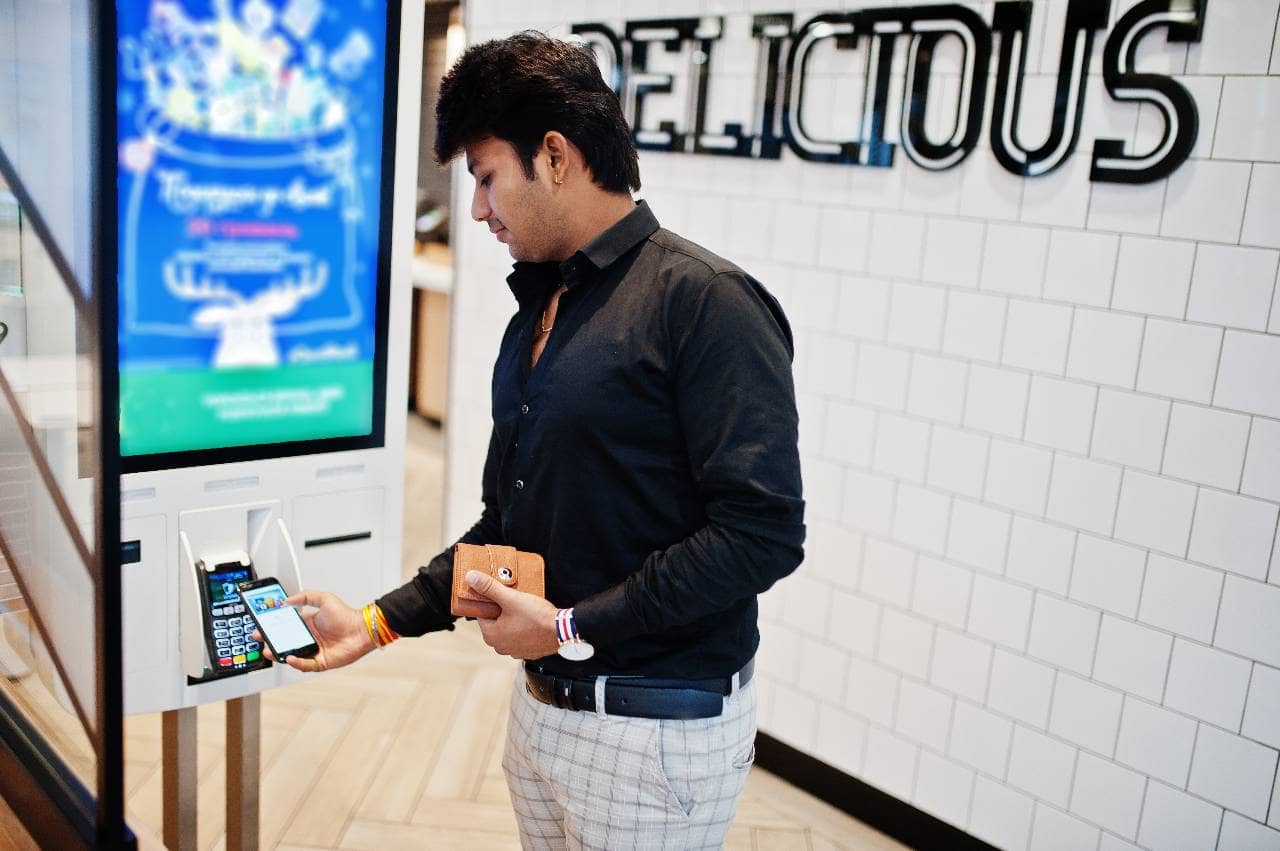
Price is an important part of choosing a restaurant kiosk system, but the lowest upfront cost does not always mean the lowest long-term expense. Before making a decision, calculate the total cost of ownership so you understand what the system may cost over time. Start with the initial investment. Depending on the provider, you may need to pay for - 1. Kiosk hardware - Touchscreens, stands, card readers, printers, scanners, and other equipment. 2. Software fees - Monthly or annual subscriptions for the kiosk platform. 3. Installation - Setup, configuration, mounting, networking, and on-site installation. 4. POS integration - Fees for connecting the kiosk to your existing point-of-sale system. 5. Payment processing - Transaction fees or additional processor charges. 6. Maintenance and support - Ongoing technical support, warranties, repairs, and replacement hardware. 7. Software upgrades - Fees for premium features, new modules, or future system updates. Ask vendors to provide a detailed pricing breakdown rather than focusing only on the advertised monthly rate. Some providers may bundle hardware and software together, while others charge separately for each component. Also review the contract terms. Check whether there are long-term commitments, early termination fees, automatic renewals, minimum transaction requirements, or charges for adding additional kiosks. You should also consider how the system could affect operating costs. For example, a kiosk may help reduce the amount of employee time spent taking orders, but it may also introduce new expenses for software, maintenance, connectivity, and payment processing. To compare systems fairly, calculate what each option could cost over several years instead of looking only at the first-year price. Include expected hardware replacements, subscription increases, support fees, and expansion costs. If you operate multiple locations, ask whether pricing changes as you add more restaurants or devices. Volume discounts may be available, but additional integrations or management features may also increase costs. A clear understanding of total cost of ownership helps you compare kiosk systems on equal terms and choose an option that fits both your operational needs and your restaurant's budget.
A kiosk system may offer strong features and competitive pricing, but it still needs to be easy for customers and employees to use every day. Complicated interfaces, frequent downtime, or slow technical support can quickly reduce the value of the system. Begin with the customer experience. The ordering process should be intuitive enough that most guests can complete an order without employee assistance. Look for clear menu categories, simple navigation, readable buttons, easy modifier selection, and a straightforward checkout process. You should also evaluate how easy the system is for your team to manage. Restaurant managers should be able to - 1. Update menu items and pricing without complex technical steps. 2. Mark items as unavailable when inventory runs out. 3. Change promotions and upsell offers as needed. 4. Review kiosk sales and performance data from a simple dashboard. 5. Troubleshoot basic issues without immediately contacting support. 6. Manage multiple devices from one central system. Reliability is equally important. Ask potential providers about system uptime, software stability, network requirements, and what happens if internet connectivity is interrupted. A kiosk that frequently freezes or disconnects can create longer lines instead of reducing them. Find out how the system handles outages as well. Some platforms may offer offline functionality or automatically reconnect once service is restored. Customer support should be another major consideration. Restaurant problems do not always happen during standard business hours, so check whether the provider offers support during nights, weekends, and holidays. Ask about available support channels, including phone, email, live chat, remote troubleshooting, and on-site service. You should also understand typical response times and whether premium support requires an additional fee. Training resources can make implementation easier. Look for setup guides, employee training materials, tutorials, and onboarding assistance. The best kiosk system should require minimal assistance from customers, remain dependable during busy service periods, and provide your team with fast support when problems occur. Evaluating these areas before purchasing can help prevent operational disruptions after installation.
Before committing to a restaurant kiosk system, test how it performs in a real ordering environment. A demo can reveal usability issues, integration limitations, or workflow problems that may not be obvious from a feature list or sales presentation. Start by walking through the ordering process as if you were a customer. Test how easy it is to browse the menu, customize items, add modifiers, apply discounts, join a loyalty program, and complete payment. During the test, pay attention to - 1. Ordering speed - Check how quickly customers can move from menu selection to checkout. 2. Navigation - Make sure categories, buttons, and menu options are easy to understand. 3. Menu customization - Test common modifiers, substitutions, add-ons, and special requests. 4. Upselling - Review how the system presents recommended sides, drinks, upgrades, or desserts. 5. Payment processing - Test card and contactless payment options. 6. POS integration - Confirm that kiosk orders appear correctly in your POS system. 7. Kitchen routing - Make sure orders reach the appropriate kitchen display or printer. 8. Reporting - Review whether kiosk sales, average order value, and transaction data are easy to access. 9. Menu updates - Test how quickly managers can change prices, availability, and promotions. Include employees in the testing process as well. Managers and frontline staff can often identify operational issues that may otherwise be overlooked, such as confusing order routing or difficult menu-management tools. If possible, test the kiosk during a limited pilot period before deploying it throughout the restaurant. This gives you an opportunity to observe customer behavior, identify bottlenecks, and adjust kiosk placement or menu design. You should also verify that the system can support future growth. Ask how easily you can add more kiosks, locations, integrations, or menu concepts as your business expands. Finally, compare each system against the requirements you established at the beginning of the selection process. The best restaurant kiosk system should fit your budget, integrate with your existing technology, remain easy for customers to use, and support your operational goals.
