
How to Forecast Restaurant Revenue and Expenses
Understand how to forecast restaurant revenue and expenses with methods for sales projection, cost scaling, fixed-cost planning, and risk buffering.
Accounting
Sep 18, 2026
Understand how to forecast restaurant revenue and expenses with methods for sales projection, cost scaling, fixed-cost planning, and risk buffering.
Sep 18, 2026

Restaurant owners can significantly reduce restaurant costs by leveraging technology across inventory, labor, procurement, forecasting, and administrative operations for better profit margins.
Sep 18, 2026

everbowl names Anna Gabele Brand President and Natalie Trzcinski COO, pulling both from Jack in the Box to guide its next growth phase.
Sep 18, 2026

Mountain Mike's Pizza hires Jack in the Box veteran Sheena Dougher as CMO to drive national growth while preserving its regional brand identity.
Sep 17, 2026

From fixed costs to contribution margin, learn exactly how to calculate your restaurant's break even point with confidence.
Sep 16, 2026

DoorDash pays $425M for Wonder's campus dining platform and a stake in Wonder, betting on robotic kitchens and institutional foodservice growth.
Sep 16, 2026
Discover the most common reasons restaurants fail, including inconsistent food quality and pricing mistakes, plus practical ways to avoid them.
Sep 16, 2026
Chipotle names former KFC global CEO Sabir Sami to its board as the chain expands into Mexico, Saudi Arabia, and South Korea.
Sep 15, 2026

LeBron James joins Mike's Red Tacos as an investor, backing the birria chain led by Blaze Pizza and Dave's Hot Chicken veteran Bill Phelps.
Sep 15, 2026

Practical payroll compliance checklist for restaurant owners covering wage rules, tips, overtime, taxes, deductions, and recordkeeping to reduce legal risk.
Sep 14, 2026

Unlock Exclusive Access To Webinars, Events, And The Latest News For Free!
Optimize your restaurant google business profile with accurate details, posts, Q&A, attributes, reviews, and tracking to increase visibility and orders.

When customers look for a place to eat, Google is often their first stop. They search for nearby restaurants, compare ratings, read reviews, check photos, view menus, confirm hours, get directions, and sometimes place an order before ever visiting a website. For restaurant owners, this makes Google Business Profile much more than a basic online listing. It is a major local marketing tool that can influence whether a customer chooses your restaurant or a competitor. A complete and active profile helps your restaurant appear in Google Search and Google Maps when people are ready to make a decision. These customers usually have strong intent. They may be hungry now, planning dinner, looking for takeout, or comparing options nearby. If your profile has outdated hours, weak photos, missing menu links, or few recent reviews, customers may move on quickly. The key is to treat your profile as an ongoing growth channel, not a one-time setup task. Regular updates, strong images, clear ordering links, answered questions, accurate attributes, and recent reviews all help build trust. Even small weekly improvements can make your restaurant easier to find, easier to understand, and easier to choose.
Before a restaurant can use Google Business Profile as a marketing tool, the foundation has to be accurate. Customers use your profile to make fast decisions. If your hours are wrong, your menu link is missing, your photos are outdated, or your online ordering button does not work, you may lose the customer before they ever reach your website. A complete profile gives guests the basic information they need without extra effort. For restaurant owners, that matters because every missing detail can create friction. Friction leads to fewer calls, fewer direction requests, fewer online orders, and more customers choosing a competitor. Start by checking the most important profile fields - 1. Restaurant name, address, and phone number These details should match exactly across your website, delivery platforms, social media pages, and local directories. Inconsistent information can confuse customers and weaken trust. 2. Hours of operation Keep regular hours, holiday hours, and temporary closures updated. If a guest drives to your restaurant and finds it closed, that experience can quickly turn into a negative review. 3. Website, menu, and online ordering links Your profile should make it easy for customers to take action. If your goal is to increase direct orders, the ordering link should send guests to your own website or ordering system whenever possible. 4. Business category and restaurant type Choose the most accurate primary category, such as pizza restaurant, Mexican restaurant, fast food restaurant, or coffee shop. This helps Google understand when to show your business in local searches. 5. Photos and visual content Food photos, dining area photos, exterior photos, and menu item images help customers decide faster. A strong photo section can increase confidence because guests can see what to expect before visiting. 6. Service options and dining details Add details like dine-in, takeout, delivery, curbside pickup, reservations, outdoor seating, parking, and accessibility. These details help customers filter their choices based on need. From a data-driven perspective, profile completion improves the customer journey because it reduces unanswered questions. Fewer unanswered questions means fewer missed opportunities. Restaurant owners should treat the profile like a digital front door - clean, accurate, updated, and easy to use. A practical starting point is to review the profile once a week. Check links, hours, photos, menu accuracy, and service options. This small habit can prevent lost traffic and keep your restaurant competitive in local search.

Google Posts give restaurant owners a simple way to turn their Google Business Profile into an active sales channel. Instead of only showing basic information like hours and location, posts allow you to promote offers, new menu items, events, seasonal specials, and direct ordering links directly where customers are already searching. When someone finds your restaurant on Google, they may only spend a few seconds comparing your profile against nearby competitors. A clear offer, strong food image, or direct ordering message can give them a reason to click. A practical approach is to use Google Posts for three main purposes - 1. Drive customers to your own ordering platform Third-party delivery apps can bring visibility, but they often reduce margins through commission fees. When possible, your Google Posts should encourage customers to order directly from your website or app. For example - - "Order direct and save 20% on your first online order." This gives customers a reason to bypass third-party platforms while helping your restaurant protect more profit. 2. Promote timely offers and specials Posts work best when they feel current. Restaurant owners can use them to promote lunch specials, limited-time menu items, catering offers, family meal bundles, holiday menus, or slow-day promotions. The key is to make the offer specific and easy to act on. Instead of saying, "Try our food today," say - - "Get a family pizza bundle for $24.99 this weekend only." Specific offers are easier to understand, track, and measure. 3. Improve profile activity and visibility An inactive profile can make a restaurant look outdated, even if the business is operating normally. Posting regularly shows customers that the restaurant is active. It also gives Google more fresh content to associate with your business, including menu items, promotions, ordering options, and service details. From a data-driven standpoint, restaurant owners should track how posts perform. Use tagged links when possible so you can see how many clicks, orders, or visits came from each promotion. Over time, this helps you identify which offers generate the most interest. A strong Google Post should include a clear image, a short message, a direct call to action, and one measurable goal. For example, the goal may be more online orders, more catering inquiries, more weekday lunch visits, or more first-time customers. The best strategy is consistency. Posting once and stopping will not create long-term impact. A simple weekly schedule can work well - one offer, one menu highlight, one ordering reminder, or one seasonal update. Over time, these small updates can help your restaurant stay visible, look more active, and convert more Google searches into direct revenue.
The Q&A section on your Google Business Profile is often overlooked, but it can directly influence whether a customer chooses your restaurant or keeps scrolling. Many guests have small questions before they visit or place an order. If they cannot find the answer quickly, they may call your restaurant, visit a competitor's profile, or abandon the search altogether. For restaurant owners, the Q&A section should not be treated as a passive feature. It should be used as a practical sales tool that removes doubt before it becomes a lost order. A strong Q&A section should answer the questions customers ask most often, such as - 1. Do you have parking? Parking is a major decision factor, especially in busy areas. If your restaurant has free parking, nearby parking, valet, or shared lot access, make that clear. 2. Do you offer vegan, vegetarian, or gluten-free options? Dietary needs often drive restaurant choices. If your menu supports these preferences, answering these questions can help your restaurant appear more relevant to customers searching for specific options. 3. Do you take reservations? Guests planning family dinners, date nights, business lunches, or group meals want to know if they can secure a table before arriving. 4. Do you offer delivery, takeout, or curbside pickup? Customers want convenience. Clear answers can guide them toward the right ordering method and reduce confusion during busy hours. 5. Are you kid-friendly or group-friendly? Families and larger parties often need reassurance before choosing a restaurant. Details about seating, high chairs, kids' meals, or group accommodations can help them decide faster. From an operational perspective, answering these questions also saves labor. If staff are answering the same phone calls every day, the profile is not doing enough work. A complete Q&A section reduces repetitive questions and allows employees to focus more on service, order accuracy, and guest experience. The Q&A section can also support local search visibility. When your answers include clear details about your services, menu options, and customer experience, Google has more context about your restaurant. For example, a restaurant that answers questions about gluten-free meals, outdoor seating, or late-night takeout may be more likely to match with customers searching for those specific needs. A practical strategy is to write your own frequently asked questions before customers do. Restaurant owners or managers can add common questions and provide clear, helpful answers. The goal is not to overfill the section with marketing language. The goal is to remove friction. A good answer should be short, specific, and useful. Instead of saying, "Yes, we have options," say, "Yes, we offer several gluten-free menu items, including salads, grilled proteins, and select sides. Please let our team know about any allergy concerns before ordering." When used correctly, the Q&A section helps customers feel informed before they take action. It improves trust, reduces unnecessary calls, supports better search visibility, and makes your restaurant easier to choose.
Google Business Profile attributes help customers understand what makes your restaurant different before they click, call, or visit. These are the small details listed on your profile that tell guests what your restaurant offers, how it operates, and whether it fits their needs. For restaurant owners, attributes may seem minor, but they can influence visibility, trust, and customer decision-making. Think of attributes as quick signals. A customer may not read your full website, but they may notice details like outdoor seating, free parking, takeout, delivery, family-friendly, wheelchair accessible, or gluten-free options. These details help customers make faster decisions, especially when they are comparing multiple restaurants in the same area. From a practical standpoint, every restaurant should follow one simple rule - fill out every attribute that applies. If Google gives you the option to add a detail and it is accurate, select it. Leaving relevant attributes blank can limit how much information customers see and may reduce your chances of appearing for specific searches. For example, if a customer searches for "restaurants with outdoor seating near me," Google needs clear signals to understand which restaurants match that request. If your restaurant has outdoor seating but you never added that attribute, you may miss an opportunity to appear in front of that customer. The same applies to searches related to parking, dietary options, pickup, delivery, accessibility, reservations, and ownership details. Restaurant owners should pay close attention to these common attribute categories - 1. Service options Add details such as dine-in, takeout, delivery, curbside pickup, drive-through, catering, or reservations. These details help customers choose the most convenient way to order or visit. 2. Dining experience Include features like outdoor seating, casual dining, family-friendly service, group seating, live music, or private dining when available. These attributes help customers match your restaurant to the occasion. 3. Menu and dietary details If your restaurant offers vegetarian, vegan, gluten-free, halal, dairy-free, or other menu options, make sure those details are visible. Customers with dietary needs often search with specific intent. 4. Accessibility and convenience Add information about wheelchair accessibility, parking availability, restrooms, payment options, and Wi-Fi. These details reduce uncertainty and make the visit easier to plan. 5. Business identity attributes If applicable, include attributes such as women-owned, veteran-owned, or other ownership details. For some customers, these values influence where they choose to spend money. From a data-driven perspective, attributes improve search relevance. They give Google more structured information about your restaurant, which can help your profile match more customer searches. They also improve conversion because customers can quickly confirm whether your restaurant meets their needs. A good habit is to review attributes at least once a month. Google may update available options, and your restaurant operations may change over time. If you add patio seating, launch delivery, expand catering, or introduce gluten-free items, your profile should reflect those updates immediately. The more complete your attributes are, the easier it becomes for the right customers to find you. In a crowded local market, these small profile details can help your restaurant stand out, earn more clicks, and turn more searchers into paying guests.
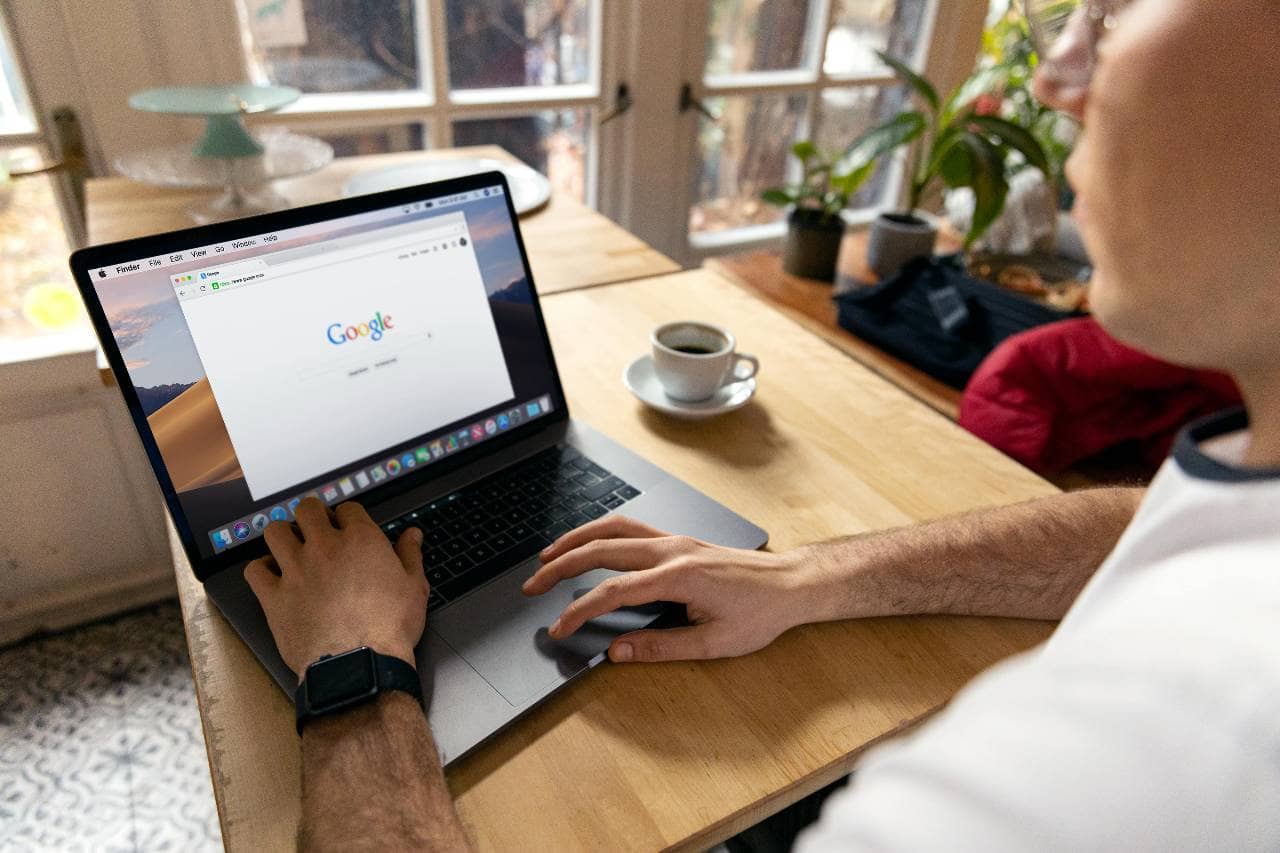
Reviews are one of the strongest decision-making signals on a restaurant's Google Business Profile. When customers compare restaurants, they often look at three things first- star rating, number of reviews, and recent customer feedback. A restaurant with strong, consistent reviews can look more trustworthy than a competitor with fewer reviews or outdated feedback. For restaurant owners, reviews should not be left to chance. Happy customers may enjoy the food and service, but many will not leave a review unless they are asked. That is why restaurants need a simple, repeatable review system. The goal is to make leaving a review easy, timely, and natural. 1. Use Google's direct review link Google allows businesses to create a direct review link that takes customers straight to the review page. This removes extra steps and increases the chance that customers will complete the review. Instead of asking guests to "find us on Google," give them one clear link or QR code. This link can be shared through - - Post-order emails - Text messages - Receipts - Table tents - Loyalty program messages - Catering follow-ups - Website thank-you pages The fewer steps customers have to take, the better the response rate will be. 2. Ask at the right moment Timing matters. The best time to ask for a review is shortly after a positive experience. For dine-in guests, this may be after a server receives a compliment. For online orders, it may be after the food is delivered or picked up. For catering orders, it may be after the event is complete. A simple message works best - - "Thank you for ordering from us. If you enjoyed your meal, we would appreciate a quick Google review." The message should feel polite, not pushy. 3. Automate the process when possible Manual review requests are easy to forget during busy shifts. Automation helps make review collection consistent. Restaurants can set up post-order emails or text messages that automatically ask customers for feedback after a purchase. This creates review velocity, which means your restaurant continues receiving new reviews over time. Recent reviews are important because customers want to know what the experience is like now, not what it was two years ago. 4. Respond to reviews professionally A strong review system is not only about collecting reviews. It is also about responding to them. Thank customers for positive feedback and address negative reviews with professionalism. A thoughtful response shows future customers that your restaurant cares about service and takes feedback seriously. For negative reviews, avoid sounding defensive. A good response should acknowledge the concern, apologize when appropriate, and invite the customer to contact the restaurant directly. 5. Track review trends Reviews contain useful operational data. If customers repeatedly mention slow service, cold food, order mistakes, parking issues, or great staff members, those patterns should be reviewed by management. Positive comments show what the restaurant should continue doing. Negative comments show where training, staffing, or process improvements may be needed. A strong review system helps restaurants build trust, improve search performance, and convert more profile views into visits and orders. When customers see a high number of recent, positive reviews, your restaurant becomes easier to choose.
Optimizing your Google Business Profile should not be a one-time project. Once the profile is complete, restaurants need to review performance regularly and make small improvements based on what customers are doing. This is where the profile becomes more than a listing. It becomes a source of local marketing data. Google Business Profile gives restaurant owners insight into how people find and interact with the business. These numbers can help you understand whether your profile is bringing in attention, clicks, calls, direction requests, and online orders. Start by tracking the most important actions - 1. Profile views Profile views show how often people are seeing your restaurant on Google Search and Google Maps. If views are increasing, your visibility may be improving. If views are flat or declining, your profile may need better photos, stronger posts, more reviews, or more complete information. 2. Website clicks Website clicks show how many customers are moving from your Google profile to your site. This matters because your website is where guests can view the full menu, place direct orders, join a loyalty program, make reservations, or learn more about your restaurant. 3. Phone calls Call volume can reveal customer intent. If many people are calling with the same questions, your profile may be missing important details. For example, repeated calls about parking, hours, reservations, or dietary options may mean those answers should be added to your Q&A section or profile details. 4. Direction requests Direction requests are a strong signal of visit intent. If people are asking Google for directions, they may be close to visiting. Restaurant owners should compare direction requests with foot traffic patterns to better understand when profile visibility is helping drive in-person visits. 5. Order clicks If your profile includes an online ordering link, order clicks should be reviewed consistently. This helps you understand whether your Google profile is supporting direct revenue. If order clicks are low, test stronger calls to action, better offers, updated menu photos, or clearer ordering links. 6. Search terms Search terms show how customers are discovering your restaurant. A guest may find you by searching your restaurant name, but they may also find you through broader searches like "best pizza near me," "gluten-free lunch," "family restaurant," or "takeout near me." These insights can help shape your posts, attributes, Q&A answers, and website content. The practical goal is not to check every number every day. Restaurant owners should review profile performance at least once a month and look for patterns. Which posts get the most clicks? Which photos attract attention? Which search terms bring in new customers? Which actions are increasing or declining? From a data-driven perspective, these insights help owners make better decisions. If catering-related searches are increasing, publish more catering posts. If customers frequently click for directions on weekends, promote weekend specials. If menu photos perform well, add more high-quality images of popular items. A strong Google Business Profile improves through testing. Update, measure, learn, and adjust. Over time, these small improvements can help your restaurant increase visibility, attract more qualified customers, and turn local searches into real visits and orders.