




10 Must-Have Restaurant Technology Tools
Discover ten essential technology tools that help restaurant owners streamline operations, control costs, improve accuracy, and support better daily decisions.

The Importance of Restaurant Technology
Restaurant technology helps owners manage daily operations with greater accuracy, speed, and consistency. Modern restaurants handle large amounts of information related to sales, payments, employee schedules, inventory, online orders, food costs, and customer activity. Without the right systems, managers may rely on spreadsheets, paper records, or disconnected tools that make it difficult to monitor performance and identify problems. The right tools should help owners make better decisions, reduce errors, control costs, and create more consistent processes across every shift. For example, a point-of-sale system can record sales data, an employee scheduling platform can help control labor hours, and inventory software can track ingredient usage and purchasing needs. Technology can also improve communication between different areas of the restaurant. When ordering, payment, kitchen, scheduling, inventory, and reporting systems share information, employees spend less time entering the same data into multiple platforms. Owners can also access a clearer view of how sales, labor, and food costs affect profitability. Before investing in new technology, restaurant owners should evaluate - - Tasks that require excessive manual work - Processes where errors occur frequently - Areas with limited operational visibility - Systems that do not communicate with one another - Costs that are difficult to track or control - Customer experiences that involve delays or inconvenience Restaurant technology provides the most value when it addresses a clear business need. By identifying operational priorities first, owners can build a practical technology setup that supports employees, improves efficiency, and gives management better control over restaurant performance.
Point-of-Sale and Payment Processing
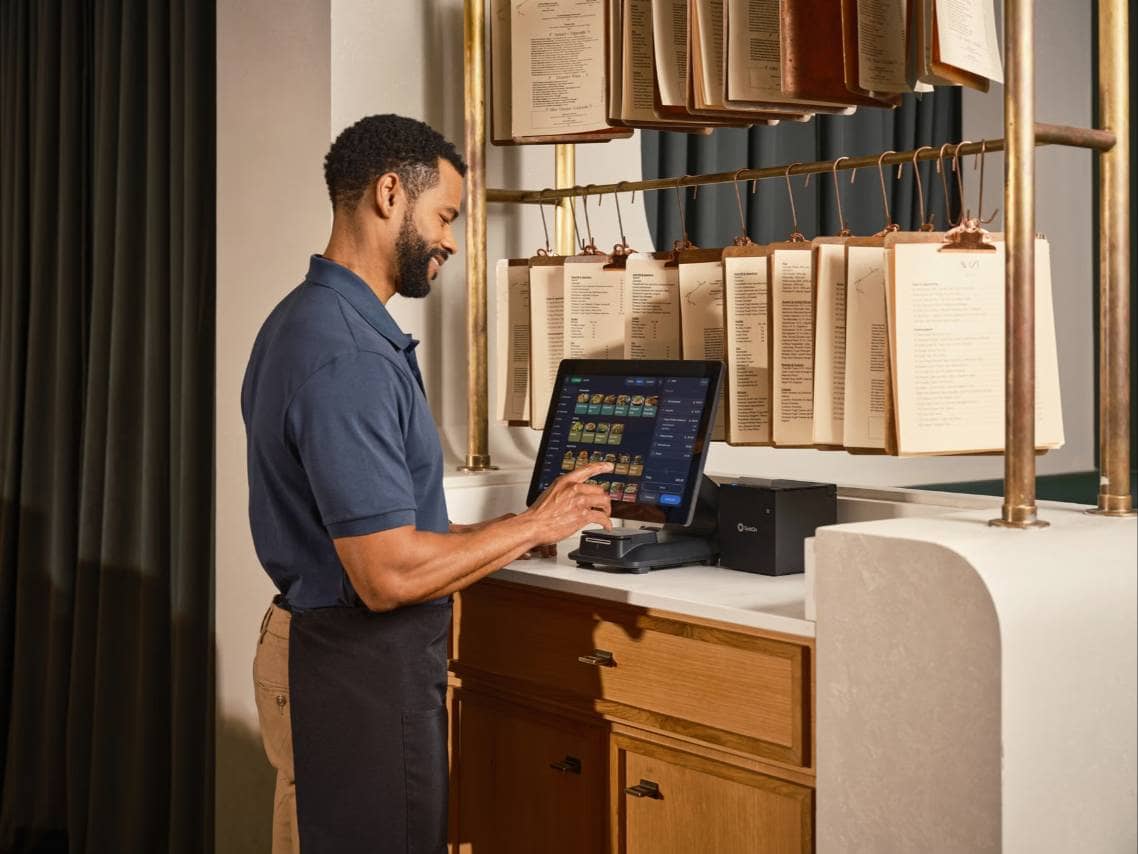
A point-of-sale system and payment processing platform are two of the most essential restaurant technology tools because they support nearly every customer transaction. Together, they help restaurants take orders, collect payments, record sales, update menus, and organize information that owners need to evaluate daily performance. Tool 1. Point-of-Sale System A restaurant point-of-sale system serves as the central location for entering orders and tracking sales. Employees can use it to select menu items, add modifiers, apply discounts, calculate taxes, split checks, and send orders to the kitchen or bar. Modern POS systems can also help owners manage - - Menu prices and item availability - Employee permissions and sales activity - Customer receipts and refunds - Takeout, delivery, and dine-in orders - Sales by menu item, shift, or location - Integrations with inventory and accounting systems The right POS system should match the restaurant's service model. A full-service restaurant may need table management, seat numbers, and check-splitting features, while a quick-service restaurant may prioritize fast order entry, kitchen display integration, and self-service ordering. Tool 2. Payment Processing System A payment processing system allows a restaurant to accept and securely process credit cards, debit cards, mobile wallets, and contactless payments. It may be built into the POS platform or provided through a separate payment processor. Restaurant owners should look beyond the advertised transaction rate when comparing processors. Total payment costs may also include monthly fees, hardware charges, chargeback fees, statement fees, and additional costs for online or manually entered transactions. Payment speed and reliability are also important. Slow terminals, failed transactions, or system outages can delay service and create frustration for both employees and customers. Owners should evaluate whether a provider offers offline payment capabilities, security features, fraud protection, and responsive technical support. When the POS and payment systems are fully integrated, sales information is recorded automatically. This reduces manual reconciliation, improves reporting accuracy, and gives owners a clearer view of revenue, payment types, refunds, tips, and transaction fees.
Online Ordering and Reservation
Online ordering and reservation tools help restaurants manage customer demand before guests arrive or place an order. These systems can reduce phone calls, improve order accuracy, organize seating, and make it easier for customers to interact with the restaurant through digital channels. Tool 3. Online Ordering System An online ordering system allows customers to place pickup or delivery orders through a restaurant's website, mobile app, or digital menu. Orders can be sent directly to the POS system or kitchen, reducing the need for employees to enter information manually. A reliable online ordering system should help restaurants manage - - Menu items, modifiers, and prices - Pickup and delivery time slots - Item availability and sold-out products - Minimum order amounts and service fees - Customer contact and order information - Promotions, discounts, and loyalty rewards Direct online ordering can give restaurant owners greater control over menu presentation, customer information, and order flow. However, the system should be easy to update whenever prices, operating hours, or item availability change. An outdated online menu can lead to incorrect orders, refunds, and dissatisfied customers. Restaurants should also consider how online orders affect kitchen capacity. If too many orders are accepted during a busy period, ticket times may increase for both digital and dine-in customers. Order-throttling features can help limit the number of orders accepted within a specific time window. Tool 4. Reservation and Table Management System A reservation and table management system helps full-service restaurants organize bookings, waitlists, table assignments, and estimated seating times. Instead of relying on a paper reservation book, hosts can view table availability and guest information in one place. These systems may include features for - - Accepting online reservations - Sending confirmation and reminder messages - Managing walk-in customers and waitlists - Assigning tables based on party size - Recording guest preferences and visit history - Tracking no-shows and cancellations Accurate table management can help restaurants avoid overbooking and reduce unnecessary gaps between reservations. It also gives hosts better visibility into which tables are occupied, available, or being prepared. Not every restaurant needs reservation technology. Quick-service restaurants and small counter-service operations may receive little value from it. However, restaurants that regularly manage bookings, waitlists, or high dining-room demand may benefit from a system that improves seating organization and communication with guests.
Employee Scheduling and Time-Tracking
Employee scheduling and time-tracking systems help restaurant owners manage labor more accurately. Because staffing is one of the largest operating expenses for many restaurants, even small scheduling errors, unplanned overtime, or inaccurate time records can increase costs and create payroll problems. Tool 5. Employee Scheduling Software Employee scheduling software helps managers build and publish schedules based on employee availability, expected sales, operating hours, and staffing requirements. Instead of creating schedules manually, managers can view labor needs and employee hours in one system. Scheduling software can help restaurants - - Record employee availability and time-off requests - Assign shifts based on roles and qualifications - Monitor scheduled labor hours and estimated costs - Identify understaffed or overstaffed shifts - Manage shift swaps and open shifts - Send schedules and updates to employees - Compare staffing levels with forecasted demand The most useful scheduling systems give managers visibility into total weekly hours before the schedule is published. This makes it easier to identify employees who are approaching overtime and redistribute shifts when appropriate. Restaurant owners should also look for scheduling tools that connect labor planning with sales forecasts. For example, a restaurant expecting higher sales on Friday evening may need additional cooks, servers, cashiers, or delivery employees. A slower weekday afternoon may require fewer scheduled hours. Matching staffing levels with expected demand can help restaurants maintain service without scheduling unnecessary labor. Tool 6. Time and Attendance System A time and attendance system records when employees begin and end shifts, take breaks, and return to work. Employees may clock in through a POS terminal, mobile device, tablet, biometric clock, or another approved device. Accurate time records are important because payroll calculations depend on the hours captured by the system. Manual timesheets can increase the risk of missed punches, calculation errors, early clock-ins, late clock-outs, and unauthorized overtime. A time and attendance system may help restaurants - - Track clock-ins, clock-outs, and breaks - Prevent employees from clocking in too early - Notify managers about missed punches - Record overtime and schedule exceptions - Require manager approval for edited time entries - Transfer approved hours into payroll software - Maintain digital records for payroll review Some systems also include geolocation, photo verification, or biometric features that help confirm the correct employee is clocking in from an approved location. However, owners should review applicable privacy, biometric, break, and timekeeping requirements before implementing these features. Scheduling and time-tracking tools provide the greatest value when they work together. Managers can compare scheduled hours with actual hours, identify shifts that regularly run over budget, and evaluate whether staffing plans match real operating conditions. This information can help restaurant owners improve future schedules, control overtime, and maintain more accurate payroll records.
Inventory and Food Cost Management
Inventory and food cost management systems help restaurant owners understand how ingredients move through the business and how purchasing, waste, portions, and price changes affect profitability. Without accurate technology, restaurants may rely on manual counts, paper invoices, or spreadsheets that quickly become outdated. Tool 7. Inventory Management System An inventory management system tracks the ingredients and supplies a restaurant purchases, stores, and uses. Employees can enter physical inventory counts, monitor stock levels, create purchase orders, and compare actual usage with expected usage. Inventory software can help restaurants - - Record ingredient quantities and unit costs - Track deliveries and supplier purchases - Set minimum and maximum stock levels - Identify low-stock and out-of-stock items - Generate suggested purchase orders - Monitor waste, spoilage, and transfers - Compare actual inventory usage with sales data - Review inventory across multiple locations Regular inventory counts are still necessary, even when software is used. The technology improves how information is stored and analyzed, but employees must enter accurate quantities and follow consistent counting procedures. Connecting inventory software with the POS system can provide additional visibility. When menu items are sold, the system can estimate how much of each ingredient should have been used based on standardized recipes. Owners can then compare theoretical usage with actual inventory changes. Large differences may indicate overportioning, waste, theft, inaccurate recipes, unrecorded transfers, or counting errors. Identifying these differences allows managers to investigate problems before they significantly increase food costs. Tool 8. Food Cost and Recipe Management Software Food cost and recipe management software calculates how much it costs to prepare each menu item. The system stores ingredient quantities, purchase prices, portion sizes, yields, and recipe instructions in one location. Restaurant owners can use this technology to - - Calculate recipe costs - Track ingredient price changes - Standardize portions and preparation methods - Compare menu prices with food costs - Estimate menu item profit margins - Identify low-profit or high-cost dishes - Update costs when supplier prices change - Maintain consistent recipes across locations For example, if the price of an ingredient increases, the software can show which menu items are affected and how much their food cost percentages have changed. Owners can then decide whether to adjust portions, negotiate with suppliers, replace ingredients, or update menu prices. Recipe management also supports operational consistency. When employees follow documented ingredient quantities and preparation instructions, the restaurant is more likely to deliver consistent portions, quality, and costs. Inventory and food cost technology provides the greatest value when purchasing, recipes, sales, and physical counts are connected. This gives owners a clearer view of what was purchased, what should have been used, what remains in stock, and where losses may be occurring.
Accounting, Reporting, and Compliance
Accounting, reporting, and compliance tools help restaurant owners organize financial information, monitor performance, and document recurring operational procedures. These systems can reduce manual data entry and give managers a clearer view of whether the restaurant is meeting financial and safety standards. Tool 9. Restaurant Accounting and Reporting Software Restaurant accounting software helps owners record revenue, expenses, invoices, payroll costs, supplier payments, and other financial activity. General accounting platforms may support basic bookkeeping, while restaurant-specific systems often connect directly with POS, inventory, payroll, and scheduling tools. Accounting and reporting software can help restaurants - - Import daily sales information - Categorize operating expenses - Track supplier invoices and payments - Reconcile bank and payment processor deposits - Monitor labor and food costs - Generate profit-and-loss statements - Compare results across periods or locations - Identify unusual financial changes Integrating accounting software with other restaurant technology can improve accuracy. For example, sales data can flow from the POS system, employee hours can come from time-tracking software, and purchasing information can transfer from inventory tools. This reduces the need to enter the same information multiple times. Reporting features also allow owners to track performance metrics such as sales by daypart, average check size, labor cost percentage, food cost percentage, discounts, refunds, and operating profit. However, reports are only useful when the underlying data is complete and consistently categorized. Tool 10. Food Safety and Digital Checklist Software Food safety and digital checklist software helps restaurants document required tasks and verify that employees complete them consistently. These systems can replace paper logs used for temperature checks, cleaning schedules, opening procedures, closing duties, and equipment inspections. Digital checklist technology can help restaurants - - Assign tasks by shift, role, or location - Record food and equipment temperatures - Document cleaning and sanitation procedures - Track opening and closing responsibilities - Notify managers about missed tasks - Require photos or signatures for verification - Record corrective actions - Store completed records for future review For example, employees can record refrigerator, freezer, cooking, cooling, and holding temperatures through a mobile device or tablet. If a reading falls outside the restaurant's approved range, the system may alert a manager so corrective action can be documented. Digital checklists can also improve accountability because managers can see when a task was completed and who completed it. However, technology does not replace employee training or management oversight. Restaurant owners must still establish clear procedures, define acceptable standards, and regularly review records. When accounting, reporting, food safety, and checklist systems are used consistently, owners gain better visibility into both financial performance and daily operational compliance.

Connect Your Restaurant Technology Systems
Restaurant technology provides more value when individual systems can exchange information. A restaurant may use separate tools for sales, payments, scheduling, time tracking, inventory, accounting, online ordering, and food safety. When these systems do not communicate, managers may need to enter the same information multiple times, increasing administrative work and the risk of errors. Integrations allow data to move automatically between connected platforms. For example, a POS system can send sales information to accounting software, inventory tools can use menu sales to estimate ingredient usage, and time-tracking systems can transfer approved employee hours to payroll. Connected restaurant technology can help owners - - Reduce duplicate data entry - Improve reporting accuracy - Reconcile sales and deposits faster - Compare scheduled labor with actual sales - Update inventory based on menu item sales - Transfer employee hours into payroll - Keep online and in-store menus consistent - Review performance from a central dashboard Before purchasing a new system, restaurant owners should confirm whether it integrates with their existing technology. A tool may offer useful features but still create additional work if employees must manually export files, reenter information, or correct inconsistent data. Owners should ask vendors which integrations are included, whether additional fees apply, and how frequently information is synchronized. Some integrations update information immediately, while others transfer data at scheduled intervals. Restaurants should also determine which system will serve as the primary source for menu prices, employee records, sales data, and inventory information. Restaurant owners should focus on building a practical technology setup rather than simply collecting more tools. Each system should support a defined operational need and connect with other essential platforms whenever possible. A well-integrated technology stack gives owners more reliable information, reduces manual work, and makes it easier to manage restaurant performance across departments and locations.