





How to Track Restaurant Inventory
Restaurant inventory tracking helps owners monitor stock, control food costs, reduce waste, improve purchasing, and make informed operational decisions.


What Restaurant Inventory Tracking Involves
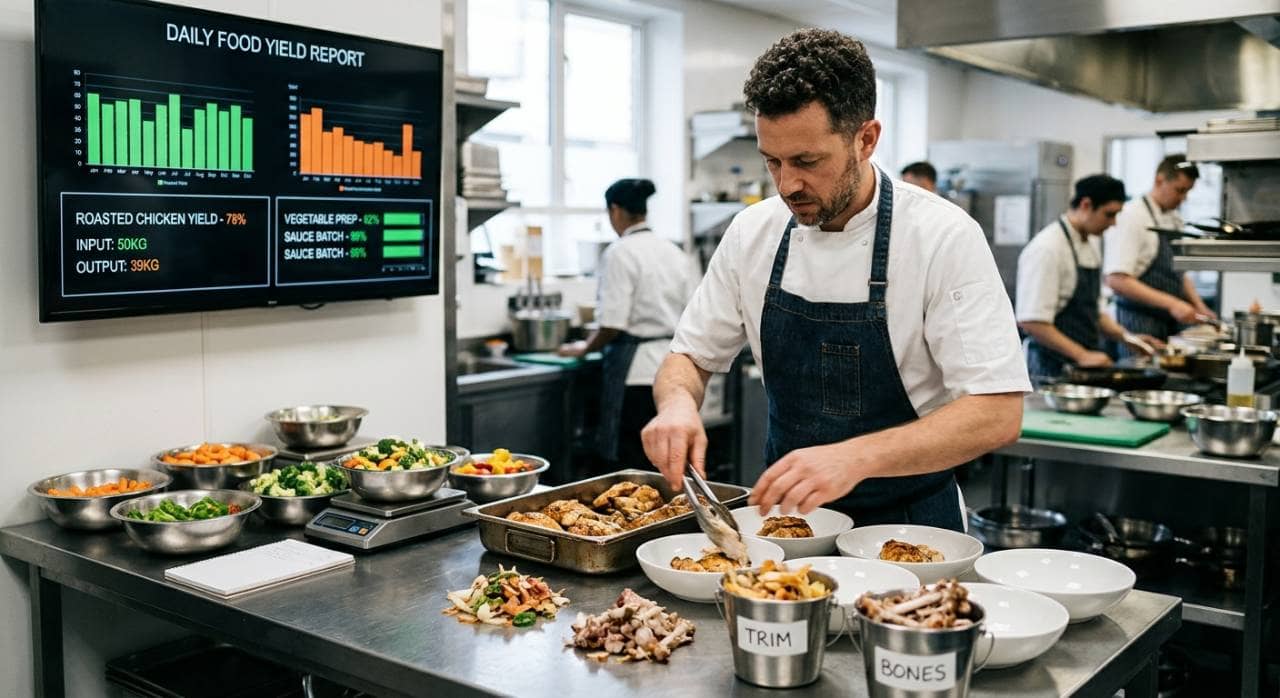
Restaurant inventory tracking is the process of monitoring the quantity, cost, and movement of ingredients, beverages, packaging, and other supplies used by a restaurant. Accurate tracking gives owners a clear view of what is on hand, what has been purchased, what has been used, and what needs to be reordered. Effective inventory tracking goes beyond counting boxes and cases. It connects inventory levels with purchasing, sales, recipes, food waste, and food costs. For example, if a restaurant purchases 50 pounds of chicken but only sells enough menu items to account for 40 pounds, the difference should be investigated. Spoilage, incorrect portions, preparation waste, or inaccurate counts could explain the discrepancy. Restaurant owners should typically track - 1. Food ingredients - Meat, seafood, produce, dairy, grains, sauces, spices, and other ingredients. 2. Beverages - Soft drinks, coffee, juices, bottled beverages, and other drink products. 3. Packaging - Takeout containers, cups, lids, bags, napkins, and utensils. 4. Cleaning and operating supplies - Cleaning products, gloves, paper products, and other essential supplies. Each inventory item should have consistent information, including its name, unit of measurement, quantity on hand, purchase cost, supplier, and storage location. When restaurant owners know what they have and how quickly products are being used, they can make more informed purchasing decisions, reduce unnecessary inventory, limit food waste, and maintain better control over restaurant costs.
Organize Inventory Into Categories
A well-organized inventory makes restaurant inventory tracking faster, more accurate, and easier to maintain. Before counting products, restaurant owners should establish a consistent system for organizing inventory items. Without clear categories, employees may count the same products differently, overlook items, or have difficulty locating products during inventory checks. Start by grouping inventory into logical categories based on how products are purchased, stored, and used. Common categories include - 1. Produce - Fruits, vegetables, herbs, and other fresh ingredients 2. Meat and seafood - Beef, poultry, pork, fish, and other proteins 3. Dairy - Milk, cheese, butter, cream, and eggs 4. Dry goods - Rice, flour, pasta, grains, spices, and canned products 5. Beverages - Soft drinks, coffee, juices, and bottled beverages 6. Frozen products - Frozen meats, vegetables, desserts, and prepared ingredients 7. Packaging - Containers, cups, lids, bags, and utensils 8. Cleaning supplies - Sanitizers, detergents, gloves, paper products, and other supplies Standardize the unit of measurement for every item. For example, one ingredient might be tracked by pounds, another by gallons, and another by cases. Avoid switching between units because inconsistent measurements can make inventory comparisons and cost calculations less accurate. Storage locations should also follow a consistent structure. Items can be organized by category, with frequently used products placed where employees can access and count them easily. Labels can identify products, units, expiration dates, and storage locations. A standardized inventory structure creates a repeatable process. Employees know what to count, where to find it, and how to record it. This makes inventory counts more consistent and gives restaurant owners more reliable data for purchasing, food cost analysis, and waste control.
Create Inventory Tracking System
A consistent inventory tracking system gives restaurant owners a reliable way to record what comes into the restaurant, what is used, and what remains in storage. The system can be as simple as a standardized spreadsheet or as advanced as restaurant inventory management software. The key is to ensure inventory information is recorded consistently and updated on a defined schedule. Start by creating an inventory list that includes every item the restaurant regularly purchases and uses. Each item should include important information such as - - Item name - Inventory category - Unit of measurement - Quantity on hand - Purchase cost - Supplier - Storage location - Minimum inventory level - Reorder quantity Establish minimum inventory levels for frequently used products. These levels indicate when an item needs to be reordered and help prevent both stockouts and excessive inventory. For example, if a restaurant typically uses 20 cases of a product each week, its reorder point should reflect expected usage, supplier lead times, and other purchasing factors. Restaurant owners should also establish who is responsible for inventory tracking. Assigning specific employees or managers to conduct counts, record deliveries, and review discrepancies creates accountability and reduces inconsistent reporting. For restaurants with multiple locations, use the same inventory structure across stores whenever possible. Standardized item names, units, categories, and reporting methods make it easier to compare inventory levels and costs between locations. The tracking system should also connect inventory activity to purchasing and sales whenever possible. Recording purchases without tracking usage provides only part of the picture. By monitoring both sides of the inventory process, restaurant owners can identify unusual changes in product usage, improve ordering decisions, and maintain more accurate inventory records.

Conduct Regular Inventory Counts
Regular inventory counts are essential for maintaining accurate restaurant inventory records. A physical count shows how much product is actually available and allows restaurant owners to compare on-hand quantities with what the inventory system or records indicate. Establish a counting schedule based on how quickly products are used, their value, and their risk of spoilage. High-value or fast-moving ingredients may require more frequent counts, while lower-cost supplies may only need to be counted weekly or monthly. During each count, employees should follow the same process - 1. Count inventory in a consistent order. Move through storage areas using the same sequence each time to reduce the chance of missed items. 2. Use standardized units. Record products using the established units, such as pounds, gallons, cases, or individual units. 3. Separate unopened and partially used products. Partially used inventory should be measured rather than estimated whenever practical. 4. Record quantities immediately. Avoid relying on memory or handwritten notes that may be difficult to reconcile later. 5. Review unusual differences. Significant changes from previous counts should be investigated before the inventory period is closed. Inventory counts should also account for products stored in different areas. Ingredients may be located in walk-in coolers, freezers, dry storage, bars, prep areas, or other locations. Counting each storage area systematically helps prevent duplicate counts and omissions. Timing also matters. Conducting inventory counts at consistent points in the operating cycle makes comparisons more meaningful. For example, counting at the end of a defined inventory period provides a clearer basis for calculating food costs and measuring product usage. Regular counting creates a reliable record of actual inventory levels. Over time, these records can help restaurant owners identify purchasing patterns, unexpected usage, waste, and discrepancies that may otherwise remain unnoticed.
Track Inventory Usage and Purchases
Tracking purchases alone does not provide a complete picture of restaurant inventory. Restaurant owners also need to monitor how products move through the operation. Comparing purchases with actual usage helps identify changes in demand, waste, portioning issues, and inventory discrepancies. Records every inventory purchase when products are received. The record should include the item, quantity, purchase cost, supplier, and delivery date. Employees should also verify deliveries against invoices to identify missing, damaged, or incorrect products before they are added to inventory. Inventory usage can then be tracked by comparing beginning inventory, purchases, and ending inventory. A basic calculation is - Beginning Inventory + Purchases - Ending Inventory = Inventory Used For example, if a restaurant starts the week with $10,000 of inventory, purchases $4,000 during the week, and ends with $9,000, the calculated inventory usage is $5,000. However, actual usage should also be compared with expected usage. Recipe quantities and sales data can help estimate how much of each ingredient should have been consumed based on the number of menu items sold. A significant difference between expected and actual usage may indicate over-portioning, preparation waste, spoilage, incorrect recipes, inaccurate inventory counts, or other operational issues. Restaurant owners should also record inventory that does not result directly from customer sales. This includes spoiled ingredients, expired products, damaged items, employee meals, complimentary items, and food used for testing or preparation. Consistently tracking purchases and usage gives restaurant owners better visibility into where inventory is going. It also creates the data needed to identify unnecessary costs, improve ordering quantities, reduce waste, and maintain more accurate food cost calculations.
Calculate Food Cost and Inventory Turnover
Restaurant inventory data becomes more useful when it is connected to financial metrics. Tracking inventory levels and purchases allows restaurant owners to measure food costs, identify changes in spending, and understand how efficiently products are moving through the operation. One of the basic calculations is cost of goods sold (COGS) - Beginning Inventory + Purchases - Ending Inventory = COGS For example, if a restaurant starts a period with $12,000 in inventory, purchases $5,000 of additional inventory, and ends the period with $10,000, its COGS would be $7,000. Restaurant owners can then calculate food cost percentage - Food Cost Percentage = Food Cost / Food Sales x 100 Monitoring this percentage over time can help identify changes in ingredient costs, purchasing practices, portion sizes, waste, and menu performance. A sudden increase may warrant a closer review of supplier prices, inventory usage, recipes, or waste records. Inventory turnover is another useful metric. It measures how frequently inventory is used and replaced during a specific period. A basic inventory turnover calculation is - Inventory Turnover = COGS / Average Inventory Average inventory can be calculated as - Beginning Inventory + Ending Inventory / 2 Higher or lower turnover is not automatically good or bad because the appropriate level varies by restaurant type, product category, purchasing cycle, and operating model. Instead, owners should monitor changes over time and investigate unusual shifts. Tracking these metrics together provides a clearer view of inventory performance. Instead of looking only at how much food is sitting in storage, restaurant owners can understand how inventory spending relates to sales, usage, and operating costs. This information can support more accurate purchasing decisions and help identify opportunities to control food costs.

Use Technology to Improve Tracking
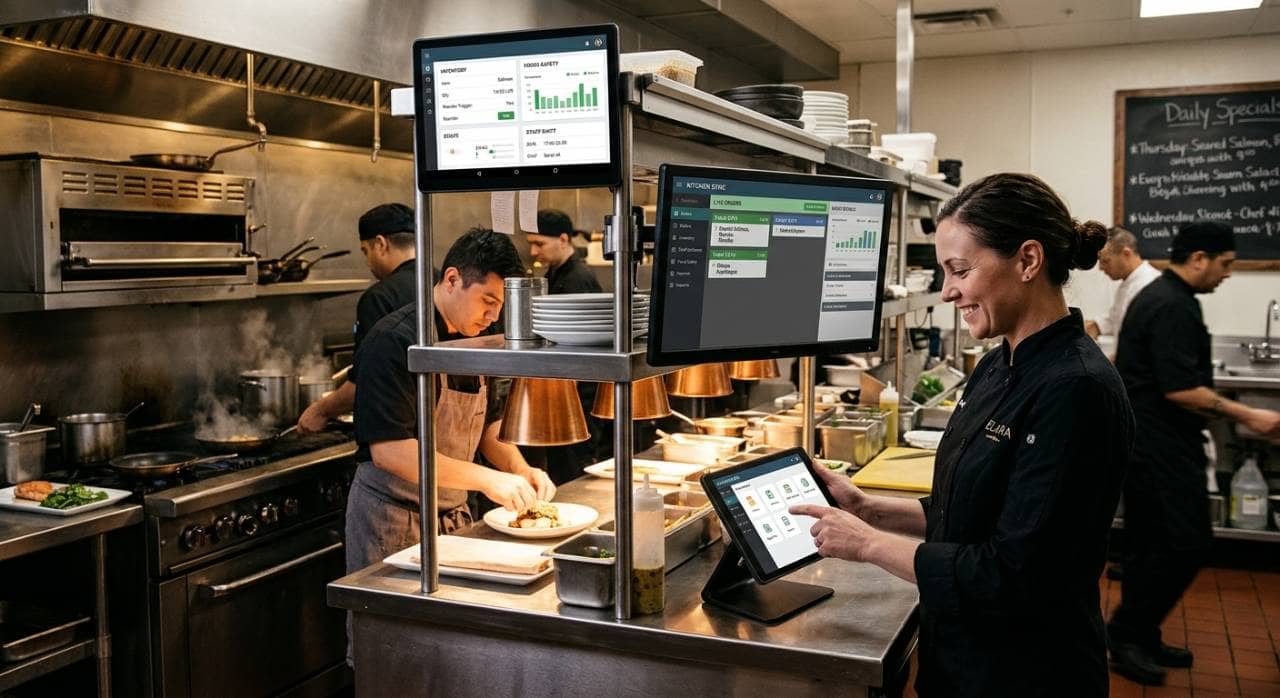
Manual inventory tracking can become difficult as the number of products, purchases, and locations increases. Restaurant inventory technology can help automate data collection, calculations, reporting, and other repetitive tasks while giving owners more consistent information about inventory levels. Restaurant inventory software can centralize important information such as product quantities, purchase costs, suppliers, and usage. Instead of maintaining separate spreadsheets, restaurant owners can use a digital system to monitor inventory from a single platform. Technology can also connect inventory tracking with other restaurant systems. Integrating inventory data with the point-of-sale system can help compare ingredient usage with menu item sales. Connecting purchasing data can make it easier to monitor incoming products and supplier costs. Accounting integrations can also help transfer relevant financial information into cost reports. Automated alerts can provide another layer of inventory control. For example, a system can notify managers when an item reaches its reorder point, when inventory levels fall below a set threshold, or when unusual usage requires investigation. Digital inventory systems can also make reporting easier. Restaurant owners can review inventory levels, food costs, purchasing activity, waste, and usage trends without manually calculating every metric. Multi-unit operators can use centralized reporting to compare inventory information across locations. When evaluating inventory technology, consider features such as - 1. Real-time inventory tracking 2. POS integration 3. Purchasing and supplier management 4. Recipe and ingredient tracking 5. Automated inventory calculations 6. Low-stock and reorder alerts 7. Food cost reporting 8. Waste tracking 9. Multi-location reporting The objective is not simply to replace paper or spreadsheets with software. The right technology should make inventory information easier to collect, analyze, and act on. This can help restaurant owners spend less time compiling inventory data and more time using that information to improve purchasing and cost control.
Review Inventory Data and Improve the Process
Tracking restaurant inventory is most effective when the data is reviewed regularly and used to improve purchasing, storage, and daily operations. Simply recording inventory counts does not provide much value if discrepancies and cost trends are not analyzed. Start by reviewing inventory reports on a consistent schedule. Compare current inventory levels, purchasing activity, food costs, waste, and usage with previous periods. Look for patterns rather than focusing only on individual discrepancies. Pay particular attention to - 1. Inventory discrepancies - Differences between expected and actual quantities. 2. Food waste - Products discarded because of spoilage, expiration, preparation waste, or overproduction. 3. Stockouts - Ingredients that run out before the next delivery. 4. Overstocking - Excess inventory that ties up cash or increases spoilage risk. 5. Purchase price changes - Increases in supplier costs that can affect food margins. 6. Unusual usage - Ingredient consumption that does not match sales or expected recipe usage. Use these findings to adjust inventory practices. If certain products consistently remain unused, purchasing quantities or par levels may need to be reduced. If frequently used ingredients regularly run out, reorder points may need to be increased. Recurring discrepancies may indicate problems with counting procedures, receiving, portioning, waste recording, or inventory controls. Employee training is also important. Everyone involved in receiving deliveries, storing products, preparing food, recording waste, and conducting inventory counts should understand the restaurant's inventory procedures. Consistent processes make the resulting data more reliable. Restaurant owners should periodically review whether the inventory system itself is working effectively. As the restaurant adds menu items, suppliers, locations, or new technology, inventory procedures may need to change. A continuous review process turns inventory tracking into an ongoing cost-control practice. By regularly analyzing inventory data and making adjustments based on actual usage, restaurant owners can maintain more accurate records, improve purchasing decisions, reduce waste, and gain greater control over restaurant costs.