



.png&w=3840&q=70)







The Ultimate Monthly Accounting Checklist Every Restaurant Owner Should Follow
You didn’t open a restaurant to stare at spreadsheets. Follow this exact step-by-step monthly accounting routine to keep your business running smoothly, your staff paid, and your sanity intact—complete with common pitfalls and a printable checklist.

The Ultimate Monthly Accounting Checklist Every Restaurant Owner Should Follow
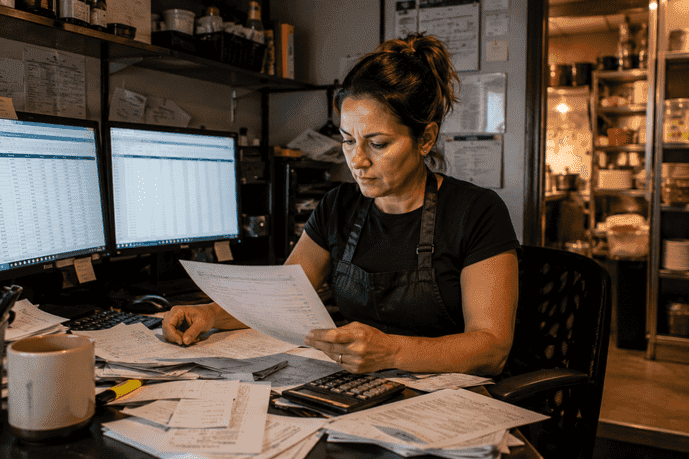
You didn’t open a restaurant to stare at spreadsheets. You opened it because you love food, you love hospitality, and you wanted to build something of your own. Yet, at 11 - 00 PM on a Sunday, after the last table is clean and the floor is mopped, there you sit in the back office surrounded by crumpled supplier bills, POS printouts, and a growing sense of dread.
Industry Insight
According to a U.S. Bank study, 82% of businesses that fail do so because of poor cash flow management. In the restaurant world, where profit margins are razor-thin, losing track of your numbers isn't just an inconvenience; it’s a death sentence. That is exactly why having a structured monthly accounting checklist is your best defense against financial chaos. Here is the exact routine you need to keep your doors open, your staff paid, and your sanity intact.
Why You Need a Monthly Accounting Checklist
A monthly accounting checklist is a set of tasks you execute at the end of every single month. It takes your raw daily numbers from how many burgers you sold to how many hours your dishwashers worked and turns them into a clear picture of your restaurant’s financial health. Why is this so critical? Because restaurants move fast. Your food goes bad; a broken walk-in cooler can wipe out $1,000 of fresh produce overnight. Your labor costs jump up and down based on weather and staff call-outs. If you wait until tax season to hand a shoebox full of receipts to your accountant, you are managing your business by looking backward. By the time you realize your food cost on those new premium steaks was bleeding your profit dry, six months have passed. A monthly review catches the bleeding while you still have time to fix it whether that means tweaking a recipe, raising a menu price, or cutting Tuesday morning prep hours.
The Step-by-Step Monthly Checklist
- Step 1 - Match Your Bank and Credit Card Records "Reconciliation" is just an accounting word for making sure your internal records match your bank’s reality. In a restaurant, cash flow is messy. You have cash tips, credit card deposits, third-party delivery payouts (UberEats, DoorDash), and daily supplier payments. It is incredibly common for your POS system to say you made $5,000 on a Friday, but your bank only shows a deposit of $4,850. Where did the money go? Usually, it's credit card processing fees taken out first, or a missing batch from a broken terminal. The Task - Compare your POS sales reports against your actual bank statements. Match every single deposit and withdrawal. The Goal - Catch missing deposits, spot unexpected charges, and ensure your delivery apps are actually paying you what they owe.
- Step 2 - Take a Hard Physical Inventory You cannot calculate your true food cost by looking at what you bought. You have to look at what you actually used. If you buy ten cases of avocados on the 28th of the month, your food bills will look artificially high. But if eight of those cases are still sitting in the cooler on the 1st of the next month, they haven't been "used" yet. They are assets. The Task - On the last day of the month (or the first morning of the new month before prep begins), get a clipboard and count everything. "Sheet to shelf" is the best method match your inventory sheet to the physical layout of your dry storage, walk-in, and bar. Don't guess. Weigh open liquor bottles. Count the frozen burger patties. The Goal - Calculate your Cost of Goods Sold (COGS). The formula is - Beginning Inventory + Purchases - Ending Inventory = True COGS.
- Step 3 - Calculate Your Prime Cost If you only track one number in your restaurant, make it your Prime Cost. This is the grand total of your Cost of Goods Sold (food and drink costs) plus your total Labor Costs (wages, payroll taxes, benefits, and worker's comp). For a healthy, independent restaurant, your Prime Cost should ideally sit between 60% and 65% of your total sales. The Task - Add your COGS from Step 2 to your total labor report from your payroll provider. Divide that number by your gross sales. The Goal - If your Prime Cost jumps to 72% this month, you immediately know you have a major problem. Did you overstaff the floor during a slow week? Did the price of fryer oil double? Finding this out on day 30 allows you to adjust the schedule for day 31.
- Step 4 - Check Your Supplier Bills The loading dock is a chaotic place. A delivery driver drops off produce during the lunch rush, hands a paper bill to your sous chef, and runs out. Later, you realize half the tomatoes were bruised and had to be returned. Did you actually get the credit for those tomatoes? The Task - Gather all supplier statements (your meat supplier, your linen service, etc.). Compare the statements with the actual signed delivery tickets. Ensure all negotiated credits for missing or spoiled items have been applied. The Goal - Avoid overpaying suppliers. Decide which bills need to be paid immediately to get early-pay discounts and which can wait until the end of their 30-day terms to protect your daily cash.
- Step 5 - Secure Sales Tax and Tips Here is a harsh reality - sales tax is not your money. It never was. You are simply holding it for the state government. When cash gets tight because the AC broke, it can be tempting to use the cash sitting in your bank account to pay the repairman, forgetting that a chunk of that cash is owed to the state. The penalties for late sales tax payments are severe and can literally lock your doors. The Task - Pull your tax report from your POS. Transfer the exact amount of collected sales tax into a separate, dedicated savings account. Do the same for any payroll taxes or tip-outs owed to staff. The Goal - Ensure you have the exact funds available when the state tax department comes knocking.
- Step 6 - Review Your Profit & Loss (P&L) Statement Once steps one through five are complete, your accounting software can generate an accurate Profit & Loss statement. This is your restaurant's monthly report card. The Task - Print the P&L and compare it to the previous month, as well as the same month from last year. The Goal - Look for warning signs. Why did the electric bill jump 20%? (Maybe a cooler door isn't sealing). Why did bar sales drop while food sales rose? (Maybe your new bartender is too slow, or you need to update the drink menu).
Common Mistakes Restaurant Owners Make
Even smart operators fall into accounting traps. Avoid these frequent mistakes -
- Mixing Personal and Business Money - Never use the business debit card to buy your personal groceries, and never use personal cash to pay a supplier out of the register. Mixing money ruins the accuracy of your P&L and creates a massive headache if you ever get audited.
- Ignoring Comps, Spills, and Waste - If a server drops a tray of drinks, or a steak is sent back, how is that recorded? Many owners just throw it in the trash and move on. If you don't ring waste and free food into the POS, your inventory will never match your sales, and your food cost will look artificially high.
- Treating the POS as an Accounting System - Your POS system is great at tracking sales and what menu items are popular. But it is not an accounting system. It doesn't know what you pay for rent or insurance. Relying only on the POS dashboard gives you a false sense of profit. You must connect your POS data to actual accounting software.
- Guessing Your Inventory - Walking into the cooler, looking around, and saying, "Looks like we have about $2,000 worth of food in here" is a recipe for disaster. Guessing leads to over-ordering, which leads to spoiled food, which is literally throwing money in the trash.

Your Quick Monthly Action Checklist
Print this out and pin it to the board in your back office. Do not let a month close without checking off every single box -
- Day 1 (Morning) - Conduct a full physical count (food, drinks, paper goods) before any prep begins.
- Day 1-3 - Gather all paper bills from the previous month; verify them against supplier statements and log them into your accounting software.
- Day 3-5 - Match your business bank accounts and credit card statements. Match all POS batches to actual bank deposits.
- Day 5 - Calculate Cost of Goods Sold (COGS) based on your physical inventory counts.
- Day 5 - Pull total labor costs (including payroll taxes) and calculate your Prime Cost. Make sure it is under 65%.
- Day 6 - Move all collected sales tax into a separate, dedicated bank account.
- Day 7 - Generate the final Profit & Loss (P&L) Statement.
- Day 7 - Review the P&L with your Chef and General Manager. Discuss rising food costs and your strategy for the current month.
Next Steps for Financial Clarity
Mastering the business side of a restaurant is just as important as mastering your menu. When you understand your numbers, you stop managing by panic and start managing with facts. You'll know exactly how much you can afford to pay a new cook, whether you can survive a slow Tuesday, and when it’s time to raise menu prices. Taking control of your finances doesn't happen overnight, but sticking to this routine is the best investment you can make in the lifespan of your business. For more practical tools, industry benchmarks, and expert guidance to help you build a more profitable operation, explore the operational toolkits available right here at RestaurantAssociation.com.