

The Complete Guide to Back of House Software for Restaurants
Back-of-house software streamlines restaurant operations by tracking inventory, costs, labor, and compliance.

What Is Back-of-House Software?
Every restaurant runs on two sides. The front of house is what guests see - the dining room, the host stand, the servers, the checkout. The back of house is everything that happens out of sight to make that experience possible - ordering ingredients, receiving deliveries, prepping food, cooking, tracking costs, scheduling staff, and keeping the kitchen safe and compliant. Back-of-house (BOH) software is the set of digital tools that manage these behind-the-scenes operations. Instead of relying on clipboards, handwritten order guides, and sprawling spreadsheets, BOH software puts the kitchen's key information into a single system or a connected group of systems. It tracks what you have, what you use, what it costs, and what you need next. How It Differs from Front-of-House Tools Front-of-house (FOH) software is built around the guest - point-of-sale (POS) systems, reservation platforms, online ordering, loyalty programs, and table management. BOH software is built around the operation. It answers different questions - - How much of each ingredient is on the shelf right now? - What does each plate actually cost to make? - Are we ordering the right amounts from our suppliers? - Is our labor spend in line with our sales? - Are we meeting food safety and compliance standards? The two sides are most powerful when they work together. Sales data from the POS tells the back-of-house system what was sold, and the back-of-house system uses that to calculate ingredient usage, flag variances, and guide purchasing. Why Restaurant Owners Are Moving Away from Manual Processes Restaurants run on thin margins, and small inefficiencies add up quickly. Manual processes are prone to the kinds of problems that quietly erode profit - miscounted inventory, outdated recipe costs, over-ordering, missed invoice errors, and scheduling guesswork. They also depend heavily on individual people. When the one person who understands the spreadsheet is away, the system breaks down. BOH software replaces that fragility with consistency. It automates repetitive tasks, reduces human error, and gives owners and managers timely, accurate data to make decisions, rather than reconstructing the picture days or weeks after the fact. Who Uses It BOH software isn't only for large chains. Independent restaurants, cafes, bars, ghost kitchens, catering operations, and multi-unit groups all use it, scaled to their needs. A single-location owner might focus on inventory and recipe costing, while a multi-location operator may also need centralized purchasing, standardized recipes, and cross-location reporting.
How Back-of-House Software Works
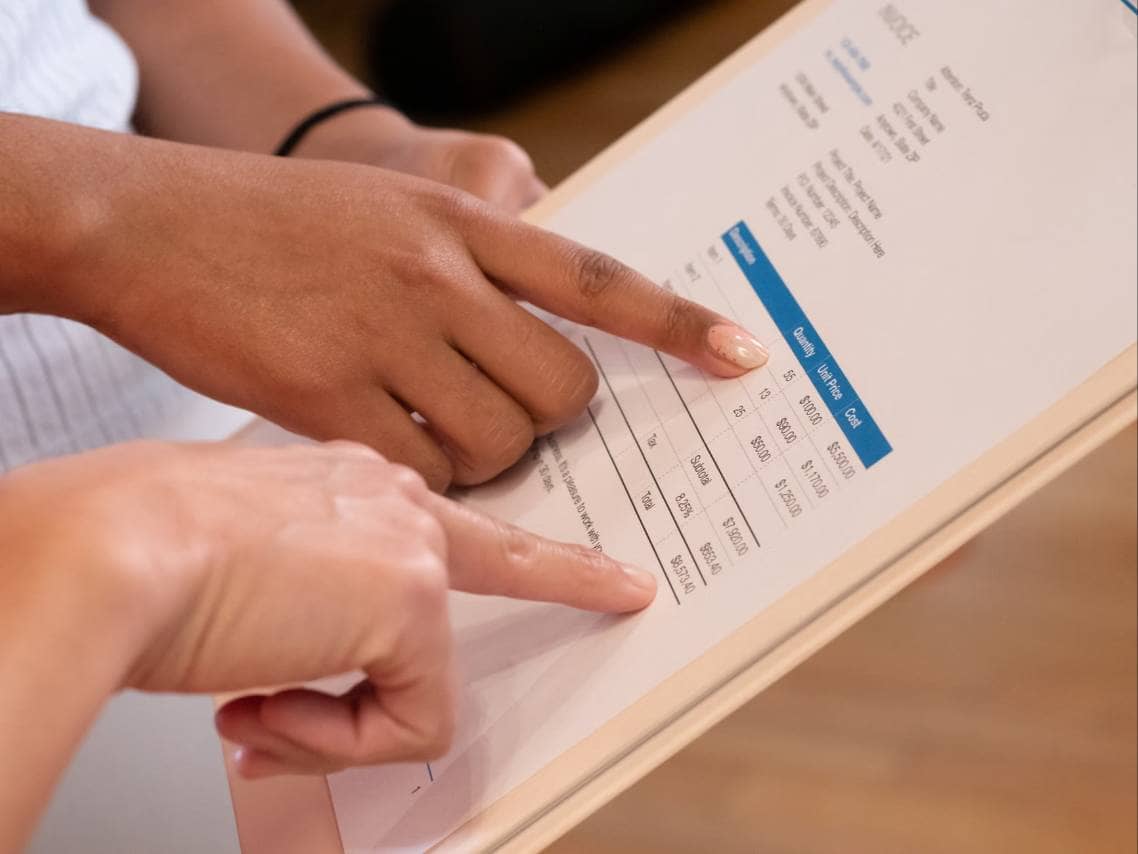
Behind the dashboards and reports, BOH software follows a simple cycle - it captures data, processes it, and turns it into information you can act on. Understanding this cycle makes it easier to see what the software can and can't do for your restaurant. The Core Workflow - Capture, Process, Report 1. Data capture. The system collects information from several sources. Sales come in from your POS, invoices arrive from suppliers (often by uploading a photo or PDF, or through a direct feed), and staff enter inventory counts, waste logs, and prep details, usually on a tablet or phone. The more of this that happens automatically, the less time your team spends on data entry. 2. Processing. Once the data is in, the software connects the dots. It matches invoices to purchase orders, updates ingredient costs, and applies your recipes to sales data to calculate how much of each ingredient should have been used. It then compares that against what you actually used, based on your counts and purchases. 3. Reporting and action. The results show up in dashboards and alerts - actual vs. theoretical food cost, items running low, price changes from vendors, labor percentage against sales, and more. Many systems can also act on the data, such as generating suggested purchase orders when stock falls below set levels. Integration with Your Other Systems BOH software rarely works alone. Its value depends heavily on how well it connects to the rest of your technology - 1. POS systems - Sales data drives ingredient usage calculations and labor reporting. Without this link, much of the analysis has to be done by hand. 2. Accounting software - Approved invoices and cost data can flow into your books, cutting down on double entry and month-end reconciliation. 3. Supplier and distributor systems - Some platforms import pricing and invoice details directly or let you send orders electronically. 4. Payroll and scheduling tools - Connecting labor data helps you compare staffing costs to sales in real time. When evaluating software, it's worth confirming that the integrations you need are supported natively rather than requiring custom work or workarounds. Cloud-Based vs. On-Premise Deployment Most modern BOH platforms are cloud-based, meaning the software runs on the vendor's servers and you access it through a browser or app. This allows access from anywhere, automatic updates, easier multi-location management, and lower upfront costs, typically through a subscription. On-premise systems are installed on your own hardware. They can offer more control over data and may work without an internet connection, but they usually require more IT support, higher upfront investment, and manual updates. For most restaurants today, cloud-based solutions are the practical choice, though operations with unreliable internet or specific data requirements may weigh the trade-offs differently. Real-Time Syncing Across Locations For multi-unit operators, syncing is one of the biggest advantages. Recipes, ingredient pricing, and vendor details can be standardized from a central account and pushed out to every location. Meanwhile, each kitchen's data feeds back into a combined view, so owners can compare performance across locations, spot outliers, and keep quality and costs consistent. Even single-location owners benefit - managers, chefs, and owners can all see the same up-to-date numbers from their own devices, without waiting for someone to update a shared spreadsheet.
Main Features to Know
Back-of-house platforms vary in scope, but most draw from the same core set of features. Knowing what each one does, and what problem it solves, will help you separate must-haves from extras when you start comparing options. Inventory Tracking and Automated Reordering Inventory management is the foundation of most BOH systems. Staff count stock using a tablet or phone, often organized by storage area to match the walk-in, dry storage, and bar. The software tracks quantities and values, and many systems calculate usage automatically by combining purchases, counts, and sales data. Automated reordering builds on this. You set par levels (the minimum quantity you want on hand) for each item, and the system flags what's running low or generates a suggested order. This reduces both stockouts and over-ordering, two common sources of lost sales and wasted cash. Recipe Costing and Menu Engineering Recipe costing calculates what each dish costs to produce, based on ingredient quantities and current supplier prices. When a vendor's price changes, the software updates your plate costs automatically, so you aren't working from numbers that went stale months ago. Menu engineering uses that cost data alongside sales data to show which items are profitable and popular, which are popular but low-margin, and which aren't pulling their weight. This helps you make informed decisions about pricing, portion sizes, and menu layout. Food Cost and Waste Tracking Food cost reporting compares your theoretical food cost (what it should have cost based on recipes and sales) with your actual food cost (what you really spent based on inventory movement). The gap between the two points to problems such as over-portioning, spoilage, theft, or unrecorded waste. Waste tracking lets staff log discarded items and the reason, such as spoilage, prep error, or returned dishes. Over time, these logs reveal patterns you can act on, like adjusting par levels or prep quantities. Purchasing and Vendor Management This feature keeps your supplier relationships and orders in one place. Common capabilities include - - Creating and sending purchase orders electronically - Digitizing and matching invoices against orders and deliveries - Tracking price changes over time and flagging increases - Comparing prices across vendors for the same item - Storing order guides and delivery schedules Invoice matching is especially valuable, since it helps catch short deliveries, incorrect pricing, and billing errors before you pay. Kitchen Display Systems and Prep Management Kitchen display systems (KDS) replace paper tickets with screens that show incoming orders, timing, and status at each station. Prep management tools go a step further, generating prep lists based on forecasted sales and current stock, so cooks know what to prepare and how much. Together, they help reduce overproduction, speed up service, and keep the line organized. Reporting and Analytics Dashboards Dashboards bring everything together in a form you can quickly read. Typical reports include - - Actual vs. theoretical food cost - Cost of goods sold (COGS) by category - Waste and variance summaries - Vendor spending and price trends - Item-level profitability - Labor cost as a percentage of sales The best dashboards let you filter by date, location, or category and highlight exceptions instead of burying you in raw numbers. Look for reports that are easy for managers to read and act on without needing an analyst.
Types of Back-of-House Software
Back-of-house software is an umbrella term. Some products handle one job very well, while others bundle many functions into a single platform. Knowing the main categories helps you decide what you actually need and avoid paying for tools you won't use. Inventory Management Platforms These are the most common BOH tools. They focus on tracking stock, calculating usage, costing recipes, and reporting on food and beverage costs. Many also include purchasing and invoice features. They suit restaurants whose biggest pain points are food cost control, waste, and ordering accuracy, and they're often the first BOH system an owner adopts. Kitchen Display and Production Systems Kitchen display systems (KDS) manage the flow of orders through the kitchen, routing tickets to the right stations and tracking preparation times. Production-focused tools extend this to prep lists, batch cooking schedules, and central kitchen operations. They're especially useful for high-volume restaurants, multi-station kitchens, and operations that prepare food in bulk for multiple locations. Scheduling and Labor Management Tools Labor is usually one of the largest costs in a restaurant, and these tools help control it. Features typically include shift scheduling, availability and time-off requests, time clocks, overtime alerts, and labor forecasting based on projected sales. Some also support compliance with local labor rules, such as break requirements and predictive scheduling laws. They're a strong fit for operations with large teams or fluctuating demand. Food Safety and Compliance Software These tools digitize the checks and records that keep a kitchen safe and audit-ready. Common functions include temperature logging (sometimes with automated sensors), cleaning and opening/closing checklists, allergen tracking, HACCP documentation, and corrective-action records. Replacing paper logs with digital ones makes records easier to store, search, and produce during inspections. Accounting and Invoice Processing Tools This category handles the financial side of back-of-house work. Invoice processing tools capture invoice data (often using scanning or OCR technology), code expenses to the right accounts, and push approved entries into your accounting system. Some restaurant-specific accounting platforms also manage accounts payable, bill payments, and cost reporting. They're most useful for owners who spend significant time on manual data entry and month-end reconciliation. All-in-One Suites vs. Specialized Point Solutions One of the biggest decisions is whether to use a single integrated suite or assemble several specialized tools. All-in-one suites combine multiple functions, such as inventory, purchasing, recipe costing, and reporting, in one platform. 1. Advantages - a single login, unified data, simpler training, and one vendor to deal with. 2. Trade-offs - some modules may be less advanced than dedicated tools, and you may pay for features you don't need. Specialized point solutions focus on doing one thing exceptionally well, such as scheduling or food safety. 1. Advantages - deeper functionality in the area that matters most to you, and the flexibility to swap out one tool without disrupting the rest. 2. Trade-offs - data can end up scattered across systems, integrations take more effort, and managing multiple vendors and subscriptions adds complexity. Many restaurants land on a hybrid approach - a core platform for inventory and costing, plus one or two specialized tools for areas like labor or food safety, connected through integrations.
Key Benefits for Restaurant Owners
The right BOH software doesn't just digitize old habits. It changes how you see and manage your operation. Here are the main benefits owners can expect, along with the reasons behind them. Lower Food Costs and Reduced Waste Food is typically one of the biggest expenses in a restaurant, and small leaks add up. BOH software shows you where money is slipping away - over-portioning, spoilage, over-ordering, unrecorded waste, or vendor price creep. Once these issues are visible, you can address them directly. Par levels can be tightened, prep quantities adjusted, and portion standards enforced. Because the data updates continuously, you can catch problems within days rather than discovering them at month-end. Improved Margins Through Accurate Costing Many owners price their menus based on costs that are months out of date. With live recipe costing, every price change from a supplier flows through to your plate costs. This lets you spot dishes that have quietly become unprofitable, adjust prices or portions before margins erode, and make smarter decisions about which items to feature, rework, or remove. Pricing becomes a deliberate strategy instead of a guess. Time Savings and Fewer Manual Errors Manual counting, data entry, and invoice handling are slow and error-prone. Automating these tasks frees up hours each week for owners, chefs, and managers. Fewer typos, missed invoices, and miscalculations also mean the numbers you rely on are more trustworthy. That time can be redirected toward training staff, improving the menu, and working with guests, which are the activities that actually grow a restaurant. Better Labor Planning and Cost Control Labor is often the other major cost alongside food. By linking sales forecasts with scheduling tools, you can staff to expected demand rather than relying on habit or gut feeling. Overtime alerts and labor-to-sales reporting help you stay within budget, while fairer, more predictable schedules can support staff satisfaction and retention. Stronger Compliance and Consistency Across Locations Digital checklists, temperature logs, and standardized recipes make it easier to maintain food safety and quality, whether you run one kitchen or ten. Records are organized and easy to retrieve, which simplifies inspections and audits. For multi-unit operators, centralized recipes, pricing, and reporting help ensure that a dish tastes the same and costs the same everywhere, and that underperforming locations are spotted early. Better Decisions with Reliable Data Beyond any single feature, the broader benefit is confidence. When managers and owners work from the same accurate, current information, conversations shift from "what do we think happened?" to "what should we do next?" Decisions about purchasing, pricing, staffing, and expansion rest on facts instead of instinct.

How to Choose the Right Solution
With so many options on the market, the best choice isn't the one with the longest feature list. It's the one that fits how your restaurant actually runs. Work through the following steps to narrow your options with confidence. Assess Your Restaurant Type, Size, and Operational Needs Start by looking at your own operation before you look at any vendor. A full-service restaurant with a large menu has different needs than a quick-service counter, a bar, a cafe, or a ghost kitchen. Consider - 1. Concept and menu complexity - How many ingredients, recipes, and prep items do you manage? 2. Volume and team size - How many staff will use the system, and how often? 3. Biggest pain points - Is it food cost, ordering errors, labor spend, compliance, or time lost to paperwork? 4. Number of locations - One kitchen or several, now and in the next few years? Write down your top three to five problems. These become the yardstick for every demo you attend. Separate Must-Have from Nice-to-Have Features It's easy to be swayed by impressive extras. Create two lists. Must-haves are the features without which the software wouldn't solve your core problems, such as inventory counting, recipe costing, or invoice capture. Nice-to-haves might include advanced forecasting, supplier price comparison, or custom dashboards. Judge each vendor primarily on how well it delivers your must-haves. Check Integration Compatibility Confirm that the software connects smoothly with your existing tools, especially your POS, accounting system, payroll, and key suppliers. Ask whether integrations are native or require third-party connectors, whether data syncs automatically or on a schedule, and whether any integration carries extra fees. Weak integrations often mean staff end up re-entering data, which defeats the purpose of buying software. Consider Scalability Think about where your business is headed. If you plan to open new locations, add a catering arm, or expand your menu, choose a platform that can grow with you. Look for features such as multi-location reporting, centralized recipe and pricing management, role-based permissions, and the ability to add users or locations without a major overhaul. Evaluate Ease of Use and Training Requirements The best software is the one your team will actually use. Kitchen staff are busy and turnover can be high, so the interface should be intuitive, mobile-friendly, and quick to learn. Ask about onboarding resources, training materials, and how long a typical new user takes to become comfortable. If counting inventory takes longer in the new system than on paper, adoption will suffer. Understand Pricing Models and Total Cost of Ownership Pricing varies widely. Common models include flat monthly subscriptions, per-location fees, per-user fees, and tiered plans based on features. Look beyond the headline price and ask about - - Setup, implementation, or data migration fees - Charges for additional users, locations, or integrations - Costs for hardware such as tablets or sensors - Contract length, renewal terms, and cancellation conditions - Price increases at renewal Compare the total cost of ownership over a year or more, then weigh it against the savings and time the software is likely to deliver. Review Customer Support and Onboarding Problems tend to surface at inconvenient moments, so reliable support matters. Find out what support channels are offered (phone, chat, email), what the hours are, and whether you'll have a dedicated onboarding specialist. A strong onboarding process, including help with setting up recipes, importing items, and training staff, can make the difference between a smooth rollout and a stalled one. Finally, see the software in action. Request a demo tailored to your restaurant's workflow rather than a generic walkthrough, and use a free trial if one is available. Involve the people who will use it daily, such as your chef, kitchen manager, and bookkeeper, because their feedback will reveal practical issues you might miss.
What to Look For
No single platform is the best fit for every restaurant, but the strongest all-around solutions share a recognizable set of qualities. Use the criteria below to judge whether a platform deserves the "best overall" label for your operation. Criteria That Define a Top-Tier All-Around Platform A leading BOH platform covers the essentials well rather than offering a long list of half-finished features. At a minimum, look for - 1. Core coverage - Inventory tracking, recipe costing, purchasing, invoice management, and reporting within one connected system 2. Accurate, automated data flow - Sales, invoices, and counts feeding into one another with minimal manual entry 3. Actionable reporting - Clear dashboards that highlight variances, price changes, and exceptions instead of simply displaying raw numbers 4. Strong integrations - Reliable connections to major POS, accounting, payroll, and supplier systems 5. Flexibility - The ability to adapt to different restaurant types, menu structures, and workflows without heavy customization Balancing Feature Depth with Usability Powerful features are only valuable if people use them. A platform that offers every conceivable report but takes weeks to learn will often sit unused. The best options strike a balance - deep enough to satisfy a detail-oriented owner or finance team, yet simple enough for a line cook or shift lead to complete a count on a phone in minutes. When testing a platform, pay attention to how many taps common tasks require, how clearly information is presented, and whether the system guides users through each step. A clean interface that matches how kitchens actually work is a strong sign of thoughtful design. Reliability, Security, and Data Ownership Because BOH software holds your cost data, supplier pricing, and financial records, it needs to be dependable and secure. Consider - 1. Uptime and performance - Does the vendor offer a service-level commitment, and does the system perform well during busy periods? 2. Offline capability - Can staff continue counting or logging in areas with weak connectivity, then sync later? 3. Security practices - Look for encryption, role-based access controls, and regular backups. 4. Data ownership and portability - Make sure you own your data and can export it in a usable format if you ever switch providers. 5. Product development - An active update schedule suggests the vendor is investing in improvements and responding to customer needs. Questions to Ask Vendors During Demos and Trials A good demo should answer your specific concerns, not just showcase highlights. Come prepared with questions such as - 1. How does your system connect to our POS and accounting software, and is there an extra cost? 2. How are invoices captured, and how accurate is the data extraction? 3. How quickly do vendor price changes update our recipe costs? 4. What does the onboarding process look like, and how long does it usually take? 5. What support is included in our plan, and what are your response times? 6. How is pricing structured, and what might change as we add users or locations? 7. Can we export all our data at any time, and in what format? 8. What is on your product roadmap for the next 12 months? 9. What are the contract length and cancellation terms? 10. Can we speak with current customers whose operations resemble ours? Pay attention not only to the answers but to how they are delivered. Clear, straightforward responses and a willingness to address limitations are good signs of a trustworthy partner.