




How to Choose Restaurant AI tools - What Operators Prioritize in 2026
Restaurant owners should choose AI tools by prioritizing labor, forecasting, inventory, and waste capabilities, verifying integration and data quality, using a vendor scorecard, and starting small with measurable goals.

Overview
Restaurant owners have more AI options than ever, with new platforms promising smarter scheduling, sharper forecasts, and leaner food costs. That abundance makes buying harder, because a tool that shines in a demo may do little for the problems actually draining your margins. The stakes are high. Labor, food, and supplies make up the bulk of operating costs, and thin margins leave little room for error. The wrong tool wastes more than the subscription fee. It costs manager time, integration effort, and the chance to solve a real problem. In 2026, choosing well matters as much as choosing to adopt AI. The best way to cut through the noise is to start with outcomes, not features. Ask what problem you need solved - tighter labor costs, more accurate ordering, or fewer wasted ingredients. Defining the outcome first makes vendor conversations clearer. Fourth's 2026 State of Restaurant Operations research offers a useful benchmark. Operators are prioritizing labor optimization (51%), AI labor forecasting (47%), AI inventory forecasting (46%), AI sales forecasting (44%), waste detection (43%), and both automated scheduling and predictive ordering (36% each). Two patterns stand out. The top priorities target labor and food, the biggest cost drivers, and forecasting appears across several categories, suggesting accurate predictions underpin better daily decisions. These figures are not a rulebook, but they help you decide where AI can make the biggest difference.
Start With Your Biggest Operational Pain Points
Before you look at a single vendor, look at your own operation. The most common mistake owners make when shopping for AI tools is starting with the technology instead of the problem. A better approach is to begin with an honest audit of where your margins are leaking, then work outward from there. Start by reviewing the numbers you already have. Compare your labor cost against sales across different days and dayparts. Look at the gap between what you ordered and what you actually used. Check how often you run short on key items or throw away product at the end of a shift. Pay attention to how accurate your sales projections are from week to week. These patterns will show you whether your biggest challenge is labor, inventory, waste, or forecasting, and in most restaurants, it is some combination of the four. It also helps to talk to the people closest to the work. Managers often know exactly where the friction is - schedules that have to be rewritten every week, prep lists based on guesswork, or orders placed from habit rather than data. Their input will give you a more complete picture than reports alone, and involving them early makes it more likely they will support whatever tool you eventually choose. Once you have identified your pain points, match each one to a specific AI capability. 1. Overspending on labor or struggling to staff to demand - look at labor optimization, AI labor forecasting, and automated scheduling. 2. Running out of items or over-ordering - look at AI inventory forecasting and predictive ordering. 3. Unpredictable busy and slow periods - look at AI sales forecasting. 4. High food cost despite careful purchasing - look at waste detection. Doing this mapping before you talk to vendors changes the conversation. Instead of sitting through a broad pitch, you can ask pointed questions about the exact capability you need and how well it performs. Finally, resist the urge to buy a broad platform when a focused tool will solve your core problem. All-in-one solutions can be a good fit for some operations, but they often come with extra modules, higher costs, and longer setup times. If your biggest issue is labor, a tool that handles labor forecasting and scheduling well may serve you better than a suite that does a little of everything. Rank your pain points by financial impact, address the top one or two first, and keep the option open to expand later once you have seen what works.

Prioritize Labor Optimization and AI Labor Forecasting
If there is one area where the research points to clear consensus, it is labor. Labor optimization ranks as the top AI investment priority, cited by 51% of operators. AI labor forecasting follows closely at 47%. Together, they show that operators see labor as the place where AI can make the most immediate difference. It is easy to understand why. Labor is one of the largest and most variable costs in a restaurant, and it is also one of the hardest to get right. Schedule too many people and you pay for hours you did not need. Schedule too few and service suffers, staff burn out, and guests notice. Managers have traditionally balanced this with experience and instinct, but instinct has limits when demand shifts by the day, the hour, or the weather. The two capabilities work hand in hand, though they are not the same thing. Labor forecasting predicts how many labor hours you will need based on expected demand. Labor optimization uses those predictions, along with your goals and constraints, to recommend how to deploy your team efficiently. A tool that does one without the other may leave you with good information and no clear way to act on it, or with recommendations built on weak predictions. When evaluating tools in this category, look for the following - 1. Demand-based staffing recommendations - The tool should translate forecasted sales into specific staffing needs by role, daypart, and day, rather than offering a generic total of hours. 2. Adjustment for local patterns - Ask how the system accounts for factors that affect your restaurant specifically, such as seasonality, local events, holidays, weather, and your own historical trends. 3. Visibility into labor cost against sales - Managers should be able to see, in real time or close to it, how labor spending compares with actual sales so they can adjust during a shift, not just after it. 4. Transparency in how recommendations are made - A tool that explains why it suggests a particular staffing level is easier for managers to trust and fine-tune than a black box. 5. Flexibility for manager judgment - The best systems support decision-making rather than replace it. Managers know things the data may not capture, like a large private party or a new hire still in training. Questions worth asking vendors include how forecast accuracy is measured, how quickly the model adapts when conditions change, and what data it needs to perform well. If a vendor cannot answer these clearly, that is worth noting. Because labor sits at the top of operators' priority lists, it is also the category where you are likely to find the most competition among vendors. Use that to your advantage by comparing several options against the same criteria rather than choosing the first polished demo.
Evaluate Automated Scheduling Capabilities
Automated scheduling is a priority for 36% of operators in 2026. That puts it below labor optimization and forecasting, but it deserves close attention because scheduling is where labor strategy turns into daily reality. A forecast only helps if it becomes a schedule your team can actually work. Building a schedule by hand is time-consuming. Managers juggle availability, time-off requests, skill levels, shift preferences, and budget targets, often while running a floor at the same time. Automated scheduling takes on much of that heavy lifting by generating a draft schedule that accounts for those variables, leaving managers to review and refine instead of starting from scratch. When comparing tools, these criteria matter most - 1. Compliance with labor rules - Scheduling involves legal requirements such as minimum rest periods between shifts, break rules, overtime thresholds, minor work restrictions, and predictive scheduling laws in some cities and states. Ask how the tool handles the rules that apply where you operate, and how it stays current when regulations change. 2. Handling of availability and preferences - A good system respects employee availability and time-off requests, and ideally lets staff submit or update them easily. Schedules that ignore preferences tend to lead to more call-outs, swaps, and turnover. 3. Role and skill awareness - The tool should understand that not every employee can cover every position. It should match the right people to the right stations, not just fill hours. 4. Ease of manager overrides - Automated does not mean rigid. Managers should be able to adjust shifts quickly, and the system should flag any changes that create compliance issues or push labor above target. 5. Communication and shift swaps - Features such as schedule publishing, notifications, and simple swap or coverage requests cut down on the back-and-forth that eats up manager time. Perhaps the most important question is how scheduling connects to the labor forecast. When the two work together, the schedule is built on predicted demand and labor targets, so the output reflects what your restaurant is expected to need. When they are separate, managers may end up manually reconciling the forecast with the schedule, which defeats much of the purpose. Ask vendors to show you how a forecast flows into a draft schedule and what happens when the forecast changes mid-week. Finally, consider how the tool fits your team's size and structure. A single-location operator may need simplicity and speed, while a multi-unit group may need centralized controls, location-level flexibility, and consistent rules across stores. Matching the tool to your operating model will help ensure the schedule it produces is one your managers will actually use.
Look for Strong Inventory and Predictive Ordering Features
Food is the other major cost driver in a restaurant, and it is where small inefficiencies add up quickly. In Fourth's 2026 State of Restaurant Operations research, AI inventory forecasting is a priority for 46% of operators, while predictive ordering is cited by 36%. The two are closely linked - forecasting estimates what you will need, and predictive ordering turns that estimate into purchasing decisions. Many kitchens still rely on a mix of par levels, habit, and gut feel. Pars set months ago may not reflect current demand, and orders placed from memory can lead to two familiar problems - running out of key items during a rush, or overstocking products that spoil before they are used. Both cost money, and both are difficult to solve consistently without better data. Here is what to look for when evaluating tools in this category - 1. Demand anticipation - The tool should project ingredient needs based on expected sales, menu mix, and historical usage, not just last week's orders. Ask how it accounts for seasonality, promotions, and events that change what guests order. 2. Suggested order quantities - Strong systems recommend what to order and how much, broken down by item and supplier, so managers are not working from a blank page. 3. Adaptation to supplier lead times - Delivery schedules, minimum order requirements, and cutoff times all shape what you can realistically order. The tool should factor these in so its recommendations are actually workable. 4. Handling of shelf life and perishables - Items with short shelf lives require more careful ordering than dry goods. Look for tools that distinguish between the two and adjust accordingly. 5. Accuracy of inventory counts - Forecasts are only as reliable as the inventory data behind them. Ask how the tool supports counting, whether through streamlined count workflows or integration with purchasing and invoice data, and how it handles discrepancies. 6. Menu and recipe connection - When the system links ingredients to recipes and sales, it can tie usage directly to what was sold, making variances easier to spot. Another point worth considering is how much control you want to keep. Fully automated ordering can save time, but many operators prefer a review-and-approve workflow, where the system generates a recommended order and a manager confirms or adjusts it before it goes out. That approach keeps human judgment in the loop, which is especially valuable for special events, new menu items, or unexpected supply issues. Ask vendors whether the tool supports both modes and how easy it is to override a recommendation. Finally, think about how these features work together. Inventory forecasting without predictive ordering gives you insight but leaves the action to your team, while ordering suggestions built on weak forecasts can create new problems. Evaluating the two as a connected workflow, rather than as separate features, will help you choose a tool that supports better purchasing from forecast to delivery.
Sales Forecasting and Waste Detection
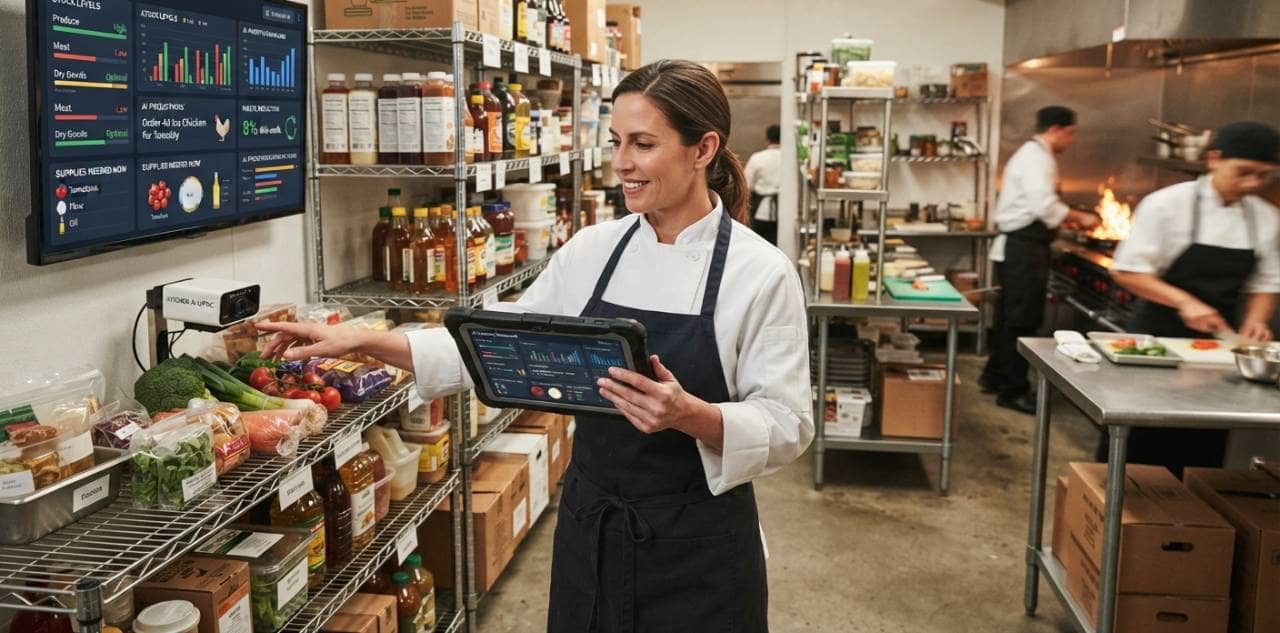
Sales forecasting and waste detection may not sit at the very top of the priority list, but they play a critical supporting role. AI sales forecasting is a priority for 44% of operators, and waste detection is cited by 43%. Both address issues that quietly shape profitability, and both strengthen the other tools covered so far. Why sales forecasting comes first Nearly every operational decision starts with a prediction of how much business you will do. Staffing levels, prep quantities, and purchase orders all depend on that number. When the sales forecast is off, the errors carry through the entire operation - labor is scheduled too heavy or too light, kitchens over-prep or run out, and orders are placed for demand that never arrives. That ripple effect is why accuracy here matters so much. A modest improvement in forecasting can improve decisions across several other areas at once. When evaluating sales forecasting tools, consider the following - 1. Data inputs - Ask what the model draws on. Strong tools typically combine historical sales with factors such as day of week, seasonality, holidays, local events, weather, and promotions. 2. Granularity - Forecasts by day are useful, but forecasts by daypart or even by hour give managers much more to work with when planning shifts and prep. 3. Menu-level insight - Knowing how many guests to expect is helpful, but knowing what they are likely to order is better for prep and purchasing. 4. Accuracy tracking - Look for reporting that compares forecasts with actual results, so you can see how reliable the predictions are and how they improve over time. 5. Connection to other tools - Forecasts are most valuable when they feed directly into scheduling, inventory, and ordering rather than living in a separate report. What waste detection adds Waste is one of the least visible drains on food cost. Over-prepping, spoilage, trim loss, incorrect portioning, and order errors can all erode margins without any single incident standing out. Waste detection tools help surface these patterns so you can act on them, rather than discovering the problem later in your food cost percentage. Key features to look for include - 1. Identification of waste sources - The tool should help you distinguish between spoilage, over-prep, portioning variance, and other causes, because each calls for a different fix. 2. Tracking by item, station, or shift - Detail makes it easier to pinpoint where problems occur and who needs additional training or process changes. 3. Comparison of theoretical versus actual usage - Linking sales and recipes to inventory helps reveal gaps between what should have been used and what actually was. 4. Practical logging methods - If recording waste is slow or cumbersome, staff will skip it. Look for simple workflows that fit into a busy kitchen. 5. Clear, actionable reporting - Insights should lead to specific steps, such as adjusting prep quantities or reviewing portion sizes, not just more dashboards These two capabilities work best together. Better sales forecasts reduce over-prep and over-ordering, which means less waste to begin with. Waste data, in turn, reveals where forecasts or prep levels are consistently off, giving you a feedback loop for continuous improvement. When comparing vendors, ask how their sales forecasting and waste detection tools share data with one another and with the rest of your operational systems.
Check Integration, Data Quality, and Usability
Even the most sophisticated AI tool will fall short if it cannot connect to your systems, works with unreliable data, or is too cumbersome for your team to use. These practical factors often determine whether a tool delivers value or becomes shelfware, and they deserve as much scrutiny as the features covered in earlier sections. Integration with your existing systems From labor forecasting to predictive ordering, all depend on data flowing in from different parts of your operation. Sales come from your POS, hours and wages from scheduling and payroll, and purchasing and usage from inventory and supplier systems. If a tool cannot access this information automatically, your team will end up entering data by hand, which is slow and prone to error. Ask vendors these questions - 1. Compatibility - Does the tool integrate with your POS, inventory, scheduling, payroll, and accounting systems? Is the integration native, or does it rely on third-party connectors or manual file uploads? 2. Data flow - Is data synced in real time, daily, or on a delay? Timing matters, especially for mid-shift labor adjustments. 3. Two-way communication - Can the tool push information back, such as publishing a schedule or sending an order, or does it only read data? 4. Implementation effort - What does setup involve, who handles it, and how long does it typically take? 5. Future flexibility - If you change your POS or add locations later, how easily will the tool adapt? Data quality AI is only as good as the data behind it. Forecasts built on incomplete sales history, inaccurate inventory counts, or inconsistent menu and recipe data will produce unreliable recommendations, no matter how advanced the model is. Before you buy, take an honest look at your own data. Are items coded consistently in your POS? Are recipes current? Are inventory counts done regularly and accurately? Then ask vendors how their tool handles imperfect data - - How does it deal with missing or inconsistent records? - How much historical data does it need to produce reliable forecasts? - Does it flag anomalies, such as an unusual count or a sales spike caused by a one-time event, so they do not distort future predictions? - What support is available to help clean up and prepare your data during onboarding? Usability for managers and staff A tool only creates value when people use it. Managers are busy, and if a system requires too many clicks or a steep learning curve, they will revert to old habits. When evaluating usability, look for - 1. Intuitive interfaces - Key tasks such as reviewing a forecast, adjusting a schedule, or approving an order should be quick and straightforward. 2. Mobile access - Many managers and staff work away from a desk, so mobile functionality can make a real difference. 3. Clear explanations - Recommendations are easier to trust and act on when the tool shows the reasoning behind them. 4. Role-based views - Owners, general managers, kitchen leads, and hourly staff need different information, and the interface should reflect that. Finally, consider the vendor relationship itself. Ask what training is included, whether support is available during your operating hours, and how the vendor handles questions after launch. A strong product with weak onboarding can still lead to poor adoption. Request details about response times, training resources, and how product updates are communicated, so you know what to expect after the contract is signed.