
.png&w=3840&q=70)




How to Get More Google Reviews for Your Restaurant
Restaurants can earn more honest Google reviews by optimizing their profile, using QR codes, table cards, follow-ups, and trained staff, while following Google's rules.

The Importance of Google Reviews for Restaurants
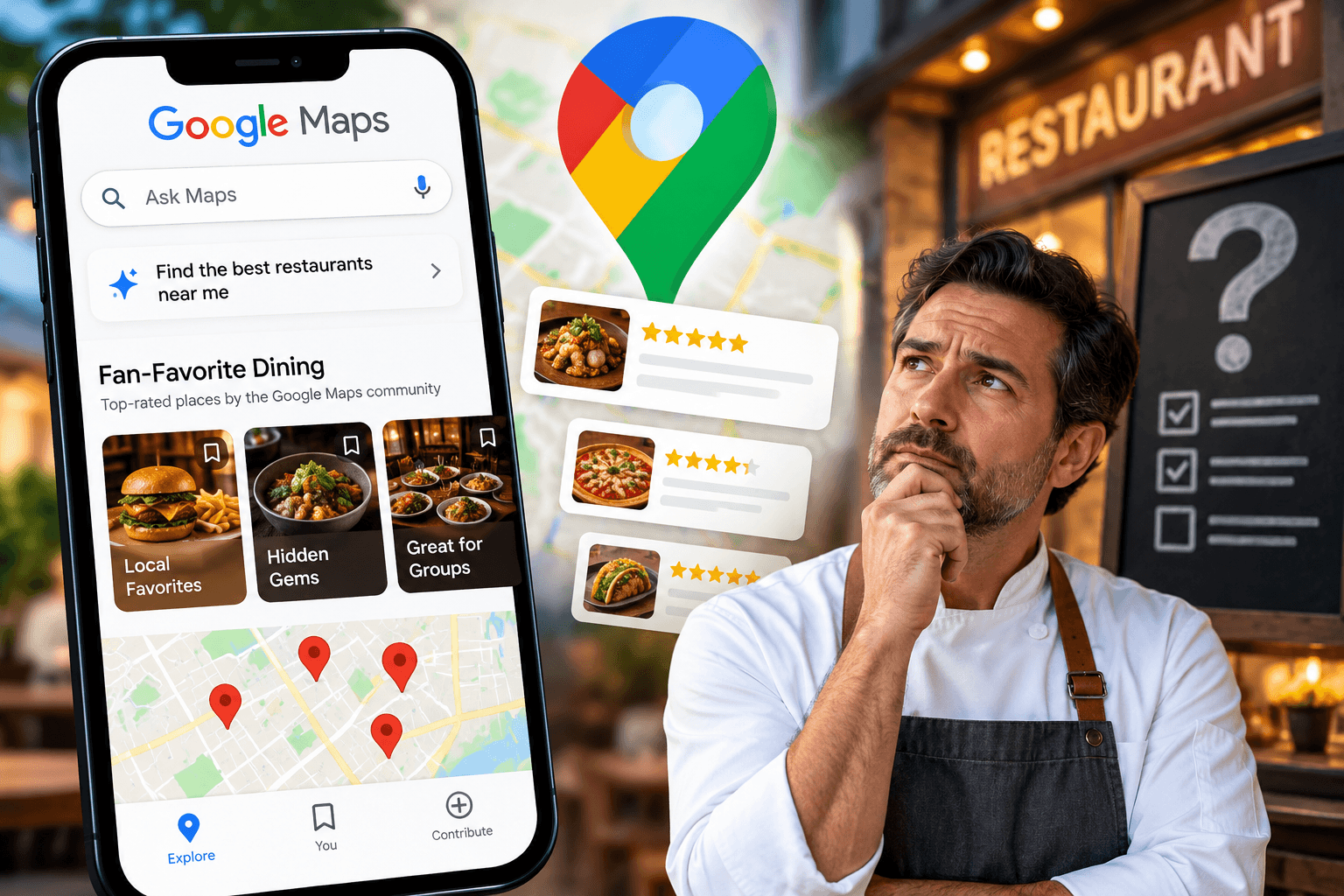
When someone searches "restaurants near me" or "best dinner in town," the first thing they see is rarely your website or your menu. It's a list of Google Maps results, each with a star rating, a review count, and a few lines of customer feedback. For most diners, that snapshot decides where they eat before they read anything else. Google uses reviews as a signal when ranking local businesses. Google has said that local results are based largely on relevance, distance, and prominence, and reviews are part of prominence. A restaurant with a steady stream of reviews tells Google that it's active, established, and worth showing to people nearby. Reviews also contain the words customers use to describe you, such as "outdoor patio," "gluten-free options," or "great for groups." Those phrases can help your listing surface for the searches that matter to you. Reviews work as modern word of mouth. Diners use them to answer practical questions quickly - Is the food good? Is the service friendly? Is it worth the price? Is it right for a date night or a family dinner? Many people will skip a restaurant with a weak rating or very few reviews, even if they've never heard anything negative about it, simply because there's not enough evidence to trust it. Each element of your review profile plays a different role - 1. Quantity - A larger number of reviews makes your average rating more believable. A 4.6 from several hundred reviews carries more weight than a 5.0 from a handful. 2. Recency - Diners want to know what the restaurant is like now, not two years ago. Fresh reviews show that your quality, menu, and service are current, and a long gap can make a listing look neglected. 3. Rating - Your average star rating is the quickest filter people apply, and many set a minimum rating when they browse. 4. Content - Detailed reviews that mention specific dishes, staff, and atmosphere give potential guests concrete reasons to choose you. People who had an exceptional or frustrating experience are the most motivated to write, which can leave your profile with an uneven picture of your restaurant. A deliberate, honest approach to asking for feedback helps your reviews reflect the full range of guests you serve.
Claim and Optimize Your Google Business Profile
Before you ask a single guest for a review, make sure there is a polished, accurate listing for them to review. Every tactic in this guide, from QR codes to follow-up messages, sends people to your Google Business Profile. If it's unclaimed, outdated, or incomplete, you'll lose the trust of the very customers you're trying to win over. Claim and verify your listing Many restaurants already have a Google listing, created automatically from public data, even if the owner never set one up. Search for your restaurant's name on Google Maps and look for the option to claim or manage the business. If no listing exists, you can create one. Google will ask you to verify that you're the owner. Depending on your business, verification may happen by postcard, phone, email, or video. Complete this step promptly, because an unverified profile limits what you can edit and respond to. Incomplete or incorrect information frustrates diners and can lead to complaints that end up in your reviews. Check that the following are correct and consistent with your website and social media - 1. Business name, address, and phone number 2. Opening hours, including holiday and special hours 3. Website, menu link, and reservation or ordering links 4. Categories, such as "Italian restaurant" or "Brunch restaurant," plus relevant attributes like outdoor seating, vegetarian options, or wheelchair accessibility 5. Photos of your food, interior, exterior, and team, updated regularly A complete profile looks more credible and gives guests a better sense of what to expect, which often leads to more positive and more specific reviews. The easiest way to get a review is to remove steps. Instead of asking guests to search for your restaurant, open your profile, and hunt for the right button, give them a link that opens the review box directly. Inside your Business Profile, look for the option to ask for reviews or share a review form. Google provides a short link you can copy. Save it somewhere handy, because you'll use it repeatedly - - To create QR codes. - To print on table cards and receipts. - To include in follow-up emails and texts. - To share with staff for quick reference. Before using it widely, test the link on your own phone to confirm it opens the review form for the correct location. If you run more than one restaurant, each location needs its own link. Set yourself up to manage reviews Add a manager or two to your profile so that more than one person can respond to reviews and update information. Turn on notifications so you're alerted when a new review arrives. This will matter later, when we cover responding to reviews and keeping up momentum. With a verified, accurate profile and a direct review link in hand, you're ready to start making it easy for guests to share their experiences.

Use QR Codes to Make Reviewing Effortless
Most guests who enjoy a meal would be happy to leave a review, but only if it takes almost no effort. Typing a restaurant's name into a search bar, finding the right listing, and scrolling to the review button is enough friction to make people give up. A QR code removes those steps - the guest points their phone camera at it, and the review box opens. Create your QR code Use the direct review link you generated in Section 2 as the destination. Any reputable QR code generator will turn that link into an image you can download. A few guidelines will help it work reliably - 1. Choose a high-resolution format such as PNG or SVG, so it stays sharp when printed at different sizes. 2. Keep strong contrast. Dark code on a light background scans best. Avoid inverted colors or low-contrast brand palettes. 3. Test before printing. Scan the code with both an iPhone and an Android phone to make sure it opens the correct review form. 4. Use a static code that points straight to your link. This avoids relying on a third-party service that could expire or start charging later. Pair it with a short call to action A QR code on its own leaves people wondering what it's for. Add a brief, friendly line next to it that explains the purpose and the payoff for you - - "Enjoyed your meal? Scan to share your feedback on Google." - "Tell us how we did. It takes less than a minute." - "Your review helps other diners find us." Keep the wording warm and low-pressure. You're inviting an honest opinion, not demanding praise. Choose the right placement The best locations are places where guests are already relaxed, have their phones nearby, and have a moment to spare. Consider - 1. Table stands or tent cards, where guests can see the code throughout the meal 2. Printed receipts or check presenters, which guests look at when they're finishing up 3. Menus, ideally on the back or at the bottom of the last page 4. Takeout bags and delivery packaging, which reach customers who never sit down in your dining room 5. The entrance or exit, such as a small sign near the door or host stand 6. Restroom doors or mirrors, where guests have a quiet moment and nothing else to look at You don't need to use every spot. Start with two or three, see which ones guests actually scan, and adjust from there. If you want to know which placements are driving reviews, you can compare how many new reviews arrive after you introduce each one, or use a separate trackable link for different locations where your tools support it. Even a simple check every few weeks will show you where to focus.
Design Table Cards That Invite Feedback
A QR code gets guests to the review form. A well-designed table card gives them a reason to go there. The card is your chance to speak to guests in your restaurant's own voice at the exact moment they're enjoying the experience, so the wording, layout, and tone all matter. The best table cards read like a sincere request from a host, not a marketing pitch. Guests can tell the difference. Aim for language that is warm, short, and focused on their experience - - "How was your visit? We'd love to hear it." - "Your honest feedback helps us improve and helps other diners find us." - "Thanks for dining with us. If you have a minute, tell us what you thought." Avoid phrases that imply you're only looking for praise, such as "Give us 5 stars!" or "Tell us how great we were." Asking for honest feedback builds more trust, and it keeps you aligned with Google's guidelines. Keep it to one clear step A card with several instructions, multiple links, or paragraphs of text will be ignored. Each card should do one job - send the guest to your Google review form. Include - A short headline - - One or two sentences of explanation - Your QR code - Your restaurant's name or logo Resist the urge to add social media handles, loyalty program details, or promotions. Those compete for attention and dilute the main request. If you want to promote other things, use a separate card or menu insert. Design for the dining table A table card has to work in real conditions - low lighting, quick glances, and a surface that may get wet or crowded. Keep these practical points in mind - 1. Readable type - Use a clean, legible font at a size that can be read comfortably in dim light. 2. Strong contrast - Dark text on a light background works best, especially for the QR code. 3. Brand consistency - Use your colors, logo, and tone so the card feels like part of your decor rather than a flyer. 4. Durable materials - Choose thicker card stock or a laminated finish that wipes clean and holds up to repeated use. 5. Compact size - A small tent card or a slim stand takes up little space and won't crowd plates and glasses. Consider different versions for different settings Not every dining style calls for the same card. A casual cafe might use a playful, conversational message, while a fine-dining restaurant may prefer a more understated note tucked into the check presenter. Consider adapting the format to fit - 1. Table tents for casual and family restaurants 2. Check presenter inserts for sit-down service, where guests are finishing up 3. Small cards with the receipt for counter service or takeout 4. Bilingual versions if you serve a multilingual community Check your cards regularly and replace any that are worn, stained, or out of date. If your restaurant changes its name, branding, or location link, update the cards right away so the QR code never leads to a dead end. A small amount of upkeep keeps the card looking professional and keeps the review path working.
Send Follow-Up Messages After the Visit
Not every guest will scan a QR code or read a table card in the moment. Some are busy with conversation, some have their phones tucked away, and some simply want to leave first and think about it later. A short follow-up messagegives these guests a second, gentle chance to share their experience, and it reaches them when they have time to write something thoughtful. Use the channels your guests already expect to hear from you on, and only contact people who have agreed to receive messages from you - 1. Email - Works well for reservations, private events, and loyalty program members. It allows a bit more room for a personal note. 2. SMS or text - Quick and highly visible, which makes it effective for casual dining, takeout, and delivery. Keep it especially short. 3. Reservation platforms - Many booking systems can send an automatic thank-you after the meal. Check whether yours lets you add your review link. 4. Online ordering and point-of-sale systems - Some can trigger a message after an order is completed, which makes the process nearly hands-free. Be mindful of privacy and messaging rules in your region, such as consent requirements and the ability to opt out. Only message guests who have given you permission, and always include a clear way to unsubscribe. Timing makes a real difference. Send your message while the experience is still fresh, ideally within 24 hours of the visit. Waiting several days means the details fade and guests are less likely to respond. For dinner service, the next morning is often a good moment. For lunch or takeout, later the same day can work well. Avoid sending messages late at night or very early in the morning, and don't send repeated reminders. One thoughtful message is enough. A second one risks feeling like pressure. Keep the tone brief and personal The best follow-ups read like a note from a real person, not a mass mailing. Start with a thank-you, make one simple request, and include the link. Here are a few examples you can adapt - Email Subject - Thank you for dining with us Hi [Name], thank you for joining us at [Restaurant] last night. We hope you enjoyed your meal. If you have a minute, we'd appreciate your honest feedback on Google. It helps us improve and helps other diners find us. [Review link] Warm regards, [Name], [Restaurant] Text message Thanks for dining at [Restaurant], [Name]! We'd love to hear how it went. You can share your feedback here - [Review link] A few guidelines will keep your messages effective - 1. Use the guest's name when you have it. 2. Keep it under a few sentences. Long messages get skipped. 3. Include only one link. 4. Ask for honest feedback, not a five-star rating. 5. Sign off with a real name or a role, such as the owner or general manager, to make it feel human. If your reservation or ordering platform supports automated messages, set them up once and review them periodically. Automation saves staff time and keeps the process consistent. Still, read your own messages from time to time, test the link on your phone, and make sure the wording still sounds like your restaurant.

Train Staff to Ask at the Right Moment
Printed cards and automated messages do a lot of the work, but nothing is as persuasive as a genuine, personal request from someone who just made a guest's evening better. Your servers, hosts, and managers are in the best position to ask, as long as they do it naturally and at the right time. Staff are more likely to ask well when they understand what's at stake. Hold a short team meeting to explain how Google reviews affect the restaurant's visibility, how they influence new diners, and how that connects to busier shifts and steady work for everyone. Make clear that the goal is honest feedback from real guests, not inflated ratings. When staff see the purpose, the request feels less like an extra task and more like part of good hospitality. Timing is the difference between a warm invitation and an awkward interruption. Train your team to look for natural openings - 1. After a compliment - When a guest says the meal was excellent or thanks the server for a recommendation, that's the ideal moment to mention reviews. 2. During a positive interaction - A celebration, a friendly chat at the table, or a guest who clearly enjoyed the experience. 3. When delivering the check - Guests are winding down and often have their phones out. 4. At departure - A host or manager saying goodbye at the door can mention it in passing. Avoid asking during the meal, when guests are focused on their food and conversation, or when a guest seems rushed, upset, or has had a problem that hasn't been resolved. Give staff simple phrases to use Don't hand your team a rigid script, but do give them a few natural phrases to adapt in their own voice - - "I'm so glad you enjoyed it. If you have a moment, we'd really appreciate your feedback on Google." - "There's a QR code on the check if you'd like to share your thoughts online. Honest feedback helps us a lot." - "Thanks for coming in! If you ever want to tell others about your visit, we're on Google." Keep each request to one sentence or two, and make it easy for the guest to say yes or simply move on without any awkwardness. Know what to avoid A few habits can turn a friendly request into an unpleasant one - 1. Don't pressure or repeat the ask. Mention it once. If a guest doesn't respond, let it go. 2. Don't ask for a specific rating. Never say five stars or hint at what the review should say. 3. Don't offer anything in return. Free drinks, discounts, or desserts in exchange for reviews violate Google's guidelines. 4. Don't hand over your own device or ask guests to post a review from a restaurant tablet or computer. Reviews from the same device or network can look suspicious to Google's systems. 5. Don't single out only the happiest guests. Ask the way you'd ask anyone - warmly and without filtering. If a guest voices a complaint, the right response is to listen and fix the problem, not to steer them away from reviewing. Empower your team to resolve issues on the spot, and have managers check in on tables that seem unhappy. A guest who feels heard may leave a more balanced review, and even if they don't, you'll have done the right thing. What you shouldn't do is discourage them from sharing their opinion.
Follow Google's Guidelines and Keep Reviews Honest
Every tactic in this guide works only if the reviews you collect are genuine. Google actively polices review activity, and a violation can mean removed reviews or restrictions on your profile. The good news is that the rules are straightforward, and an honest approach already keeps you on the right side of them. Never offer incentives for reviews Offering anything in exchange for a review is one of the clearest violations. That includes cash, discounts, free goods or services, giveaways, account credits, and loyalty points. The ban applies whether the review is positive or negative, so a free dessert for an "honest" review is still not allowed. Google also treats incentives to remove or revise a negative review as a violation. For a restaurant, this rules out - - "Show us your review for a free appetizer." - Entering reviewers into a prize draw. - Awarding loyalty points for posting a review. - Offering a refund or comp in exchange for deleting a bad review. Don't practice review gating Review gating means filtering who gets asked based on how they felt. A common example is sending unhappy customers to a private feedback form instead of the Google review page. Google's policy prohibits discouraging or prohibiting negative reviews, or selectively soliciting positive reviews from customers. In practice, this means - - Don't send a "How was your visit?" survey and only forward the happy responders to Google. - Don't leave negative feedback out of your follow-up list. - Ask every guest the same way. You can still collect private feedback through a separate channel. Just don't use it as a filter that decides who sees the review link. Avoid staff quotas and scripted content Google's rules on rating manipulation have been getting stricter. The policy now reportedly prohibits directing staff to solicit a specific number of reviews, and directing staff to request reviews that include specific content, including content that names a staff member. That has a few implications for your team - 1. No review quotas. Don't set targets like "five reviews per server this week," and don't tie pay, bonuses, or shift perks to review counts. 2. Don't ask guests to mention a particular server, dish, or phrase. Invite their honest account of the visit and let them write what they want. It's fine for a guest to praise someone by name on their own, but staff shouldn't request it. 3. Keep requests neutral. Asking neutrally for a genuine account of an experience is permitted. Some observers note that the content-specific language could be read broadly, so the safest course is to keep every request general. Never buy, fake, or bulk-solicit reviews Buying or selling reviews is strictly prohibited. That covers paying a service for a batch of five-star reviews, asking friends, family, or employees to post reviews they didn't earn, and writing reviews of your own restaurant. It also covers posting reviews of competitors. Google's detection systems are built to catch coordinated posting patterns and fake content, so even a small number of fabricated reviews can put your listing at risk. If you use review software or an agency, check how they work. A reputable tool lets guests post reviews themselves without filtering responses, and never writes or submits reviews on a guest's behalf. Google's updates have also reportedly tightened rules around on-site review requests. Don't hand guests a restaurant-owned tablet or device to post reviews from your location. Let people use their own phones, on their own time, via a QR code or a link. What's allowed Plenty remains fully within the rules. You can - 1. Ask guests for honest feedback, in person, in writing, or by message. 2. Provide a direct review link and QR code. 3. Use automated follow-ups, as long as they go to everyone and don't filter by sentiment. 4. Thank reviewers publicly and respond to what they wrote. Google's standard is that you solicit or encourage content that represents a genuine experience, without offering incentives to do so. If your process meets that test, you're in good shape.
Respond to Reviews
Collecting reviews is only half the job. How you handle them afterward shows future guests what kind of restaurant you are, and building a steady routine keeps new reviews coming in without constant effort. When you reply to reviews, you show current and prospective guests that real people are paying attention. Reviewers feel heard, other diners see a business that cares, and your profile shows ongoing activity. Responding doesn't require a long essay. A few sincere sentences are enough. Replying to positive reviews Thank the guest and keep it personal and brief - - Use their name if it's shown. - Mention something specific from their review, such as a dish or the atmosphere, to show you read it. - Invite them back without being pushy. For example - "Thank you, Maria! We're so glad you enjoyed the evening. We hope to see you again soon." Avoid copying the same reply onto every review. Repeated wording looks automated and reduces the value of responding. Replying to negative reviews A critical review is an opportunity to show how you handle problems. Follow a simple approach - 1. Respond promptly, ideally within a day or two, while the issue is still fresh. 2. Stay calm and professional. Never argue, blame the guest, or get defensive, even if you disagree with their account. 3. Acknowledge the experience and apologize where appropriate. 4. Keep details general. Don't share private information about the guest, their order, or their reservation. 5. Offer to continue offline, with a direct email or phone number for a manager. For example - "Thank you for letting us know, and we're sorry your visit didn't meet expectations. We'd like to understand what happened. Please contact our manager at [email/phone] so we can make it right." Getting more Google reviews doesn't depend on tricks. It comes from a complete and accurate profile, an easy path for guests to follow, genuine invitations delivered in person and afterward, and a firm commitment to honesty. Do those things consistently, respond with care, and your reviews will reflect the quality of the experience you deliver.